
This week's update comes out on a Wednesday because of the holiday, and there's a lot in it. Travelers now have a profile of their own. You can hide confirmation numbers from travelers, and group trips show payment status at a glance. Form submissions can now match existing contacts across your agency, and Hotels by Tern guests get a heads-up before check-in. AI Chat also picked up new skills.
Traveler profiles
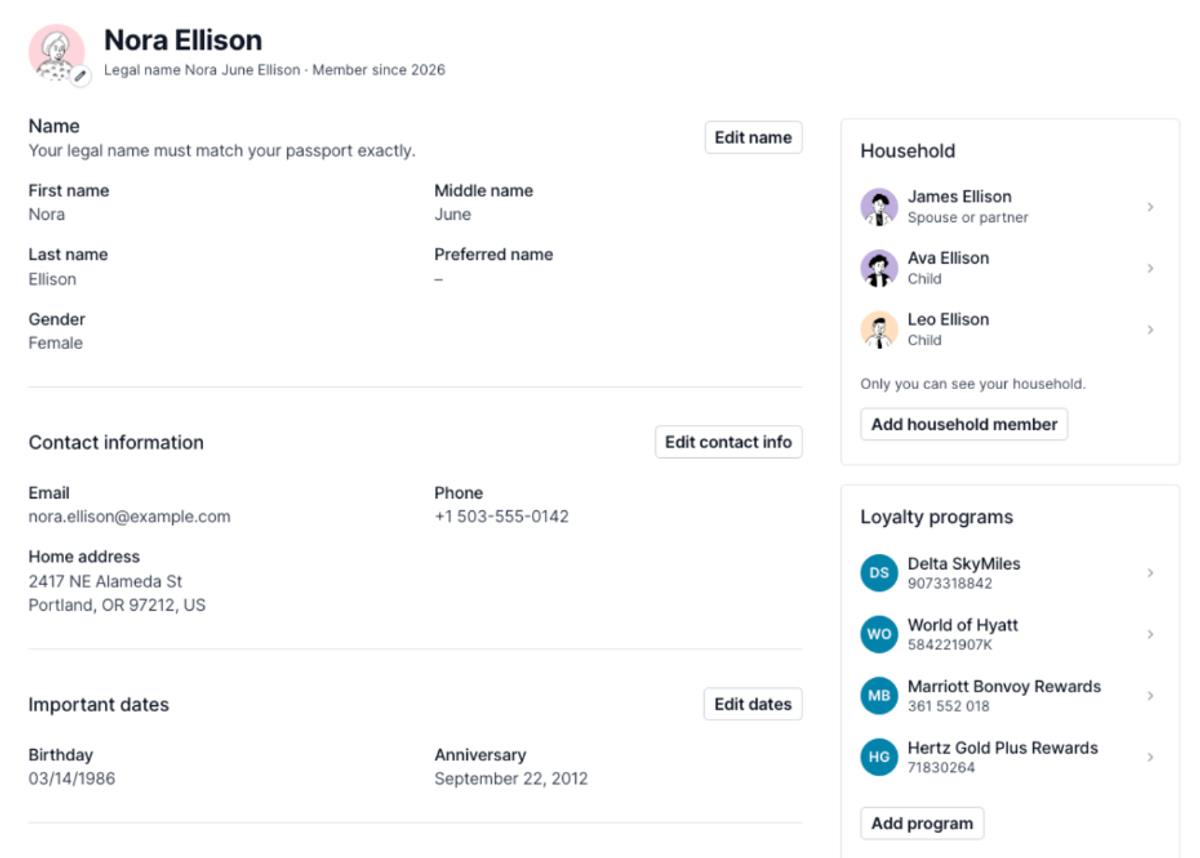
Every traveler now has their own Tern profile. From it, they can manage:
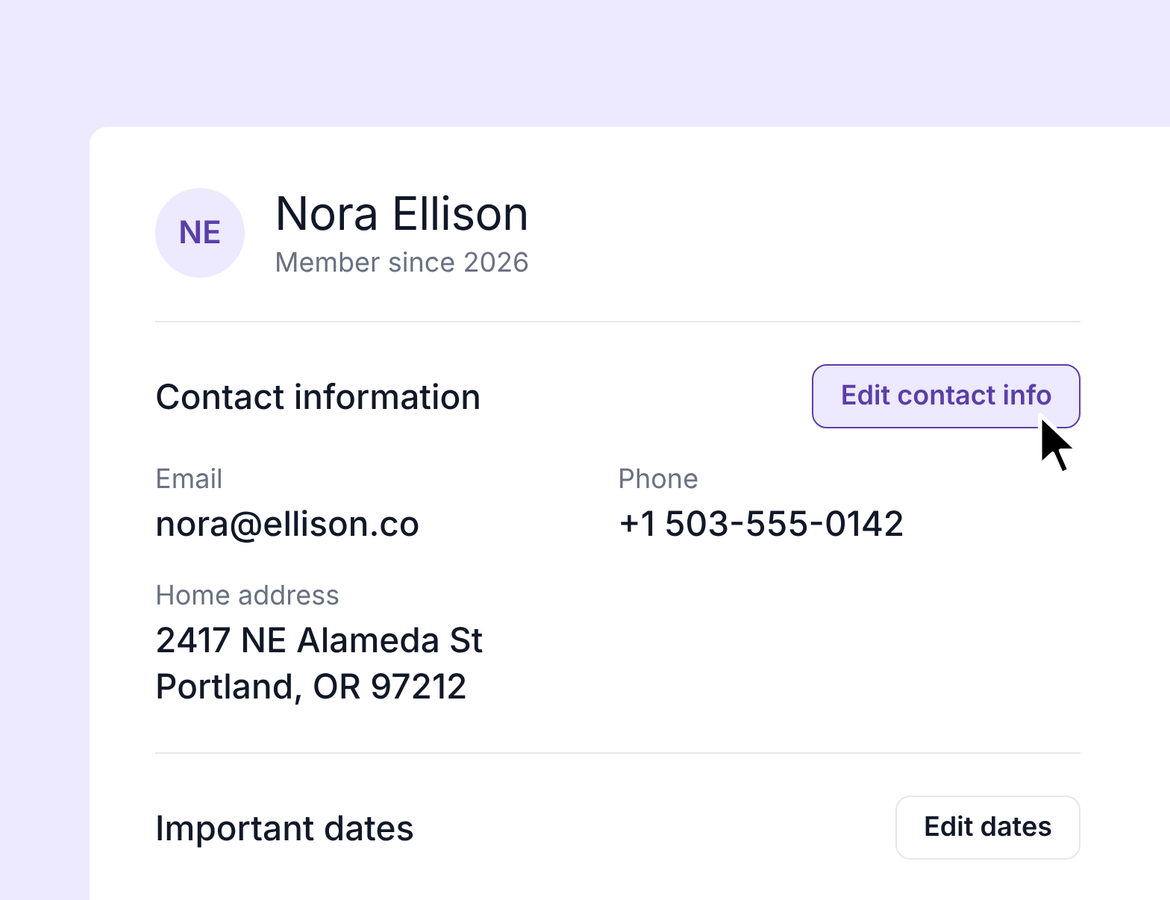
- Contact information and important dates
- Passport details, including an upload of their passport photo
- Loyalty programs and trusted traveler programs
- Travel preferences
- Household members and people they travel with often
- Payment methods they saved while authorizing payments
Travelers open their profile from the Profile tab on their trips dashboard, or from the top of any itinerary they're viewing.
For now, the profile belongs to the traveler. Advisors can't see it, and it doesn't sync to your contacts yet. We're working on syncing it with your contacts and forms, so traveler details stay up to date without the back-and-forth.
Hide confirmation numbers from travelers
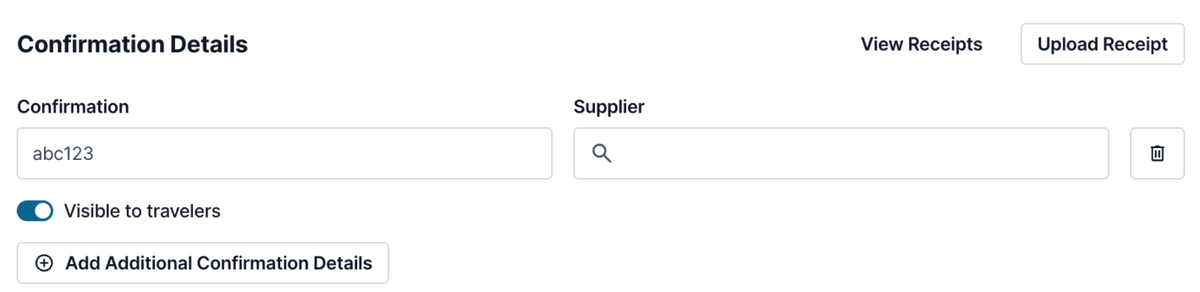
Sometimes the supplier confirmation number isn't the one you want travelers to see, or you track commission against a different number. Now you can hide any confirmation number from travelers.
In a booking, go to Booking & Pricing, scroll to Confirmation numbers, and turn off Visible to travelers. Hidden numbers still work for searching bookings, tracking, and commission reconciliation.
Payment summary for group trips
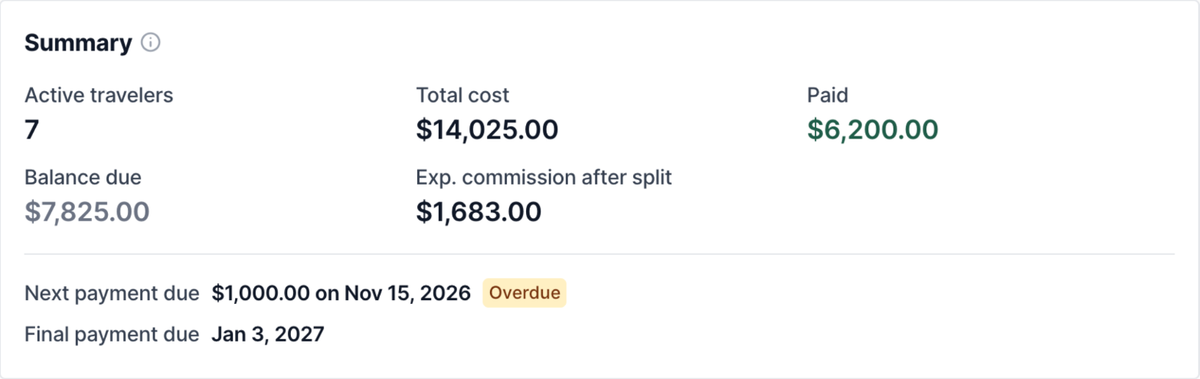
Group trips now show a payment summary at the top of the screen:
- Number of active travelers
- Balance due
- Next payment amount and due date (with an overdue flag)
- Total paid
- Expected commission
You get the whole picture of a group trip without digging.
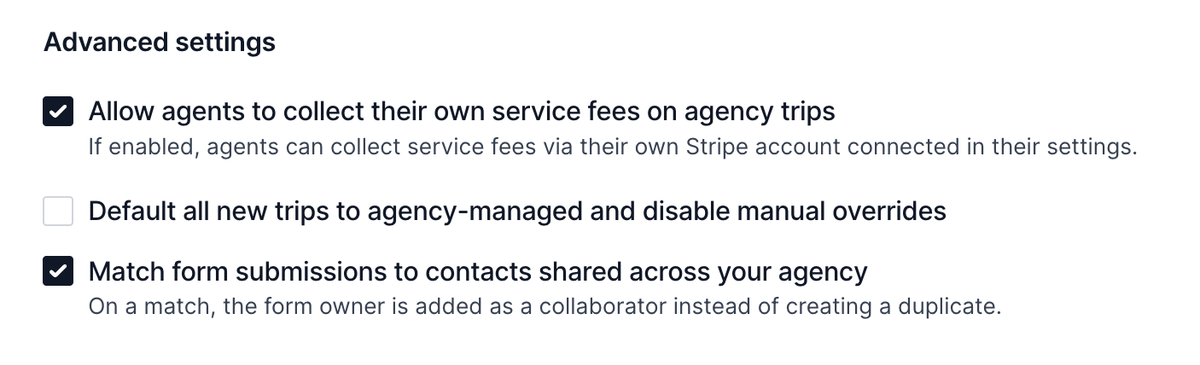
Match form submissions to agency contacts
Agency owners can now stop forms from creating duplicate contacts across the agency.
When this setting is on and a contact who already exists at your agency submits another advisor's form, Tern updates the existing contact instead of creating a new one. The advisor who sent the form is added as a collaborator on that contact.
To turn it on, go to Back Office > Agency Controls > Advanced Settings and enable matching form submissions to contacts shared across your agency.
Check-in alerts for Hotels by Tern
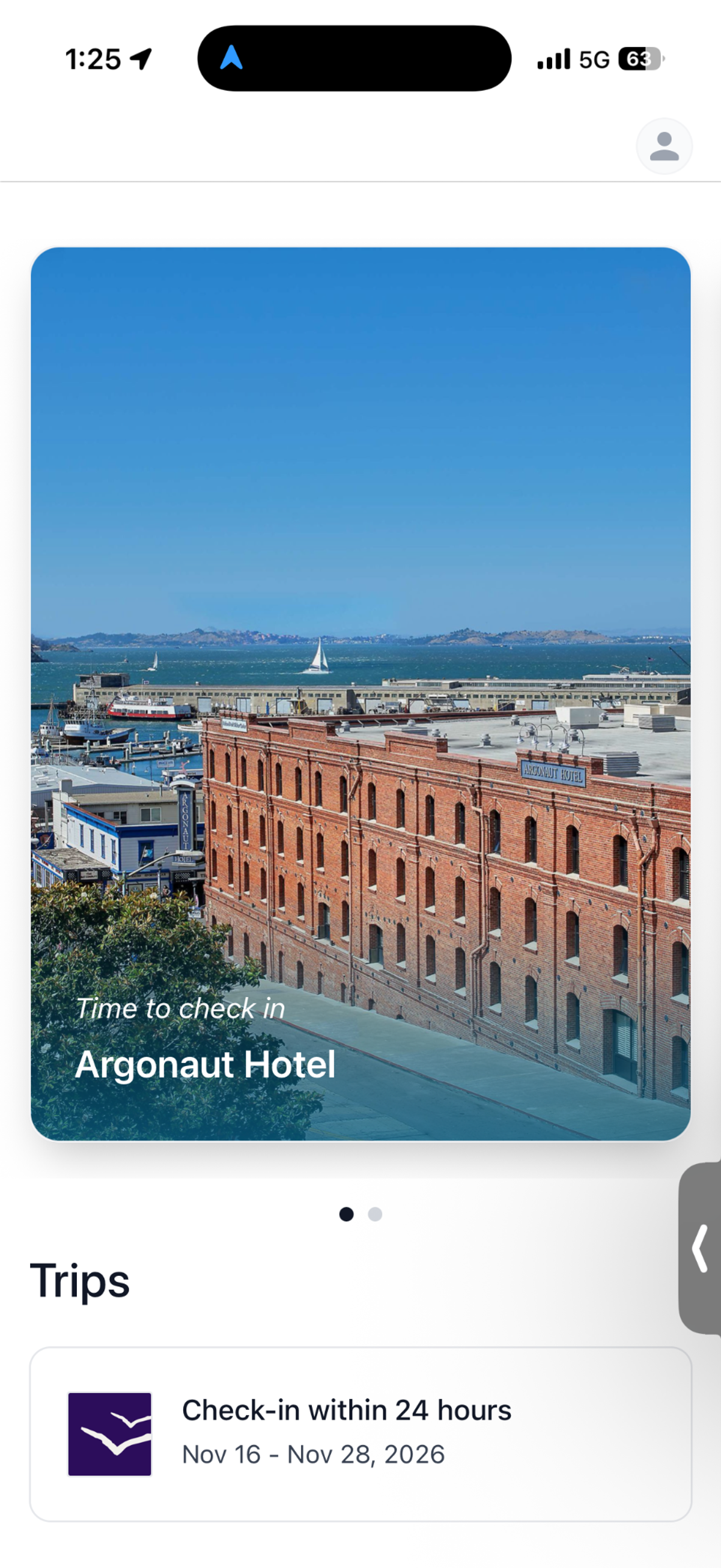
Travelers with a Hotels by Tern stay now see a check-in card at the top of the mobile app 24 hours before check-in. From the card they can:
- View full stay details
- Get directions
- Copy the confirmation number
- Contact Tern support if something goes wrong at check-in, like a room that isn't ready or a closed front desk
AI Chat upgrades
AI Chat can now work on trips, contacts, and templates shared with you, with the same access you have in the app. It can also:
- Create sub-trips
- Hide and show activities for travelers
- Merge duplicate contacts
- Edit draft campaigns
AI Chat premium replies are also 20% faster.
Quality of life
- Mark as booked is now Submit booking. Same functionality, clearer name: you're submitting the booking to your agency. Edit booking stays the same.
- Bigger logo on overlay itineraries. Your logo shows twice as large at the top and shrinks as travelers scroll.
- Clearer payment labels on the authorization page. Items booked through integrations (Hotels by Tern, Project Expedition, insurance) are labeled Processed upon authorization. Everything else is labeled Processed by advisor.
- Contact tabs moved to the left sidebar to match trips.
- Frontier EarlyReturns is now Frontier Miles in loyalty programs, with the new tier names.
- Tern campaigns now skip contacts with Signature email marketing turned on. It's on by default, so turn it off on a contact's Signature tab to include them in Tern campaigns. This keeps contacts from getting duplicate campaigns.
Have a great holiday!