
This week's release brings a handful of features that have been highly requested for a while, plus several improvements that should make everyday workflows noticeably smoother.
Chrome extension for importing library content - in beta
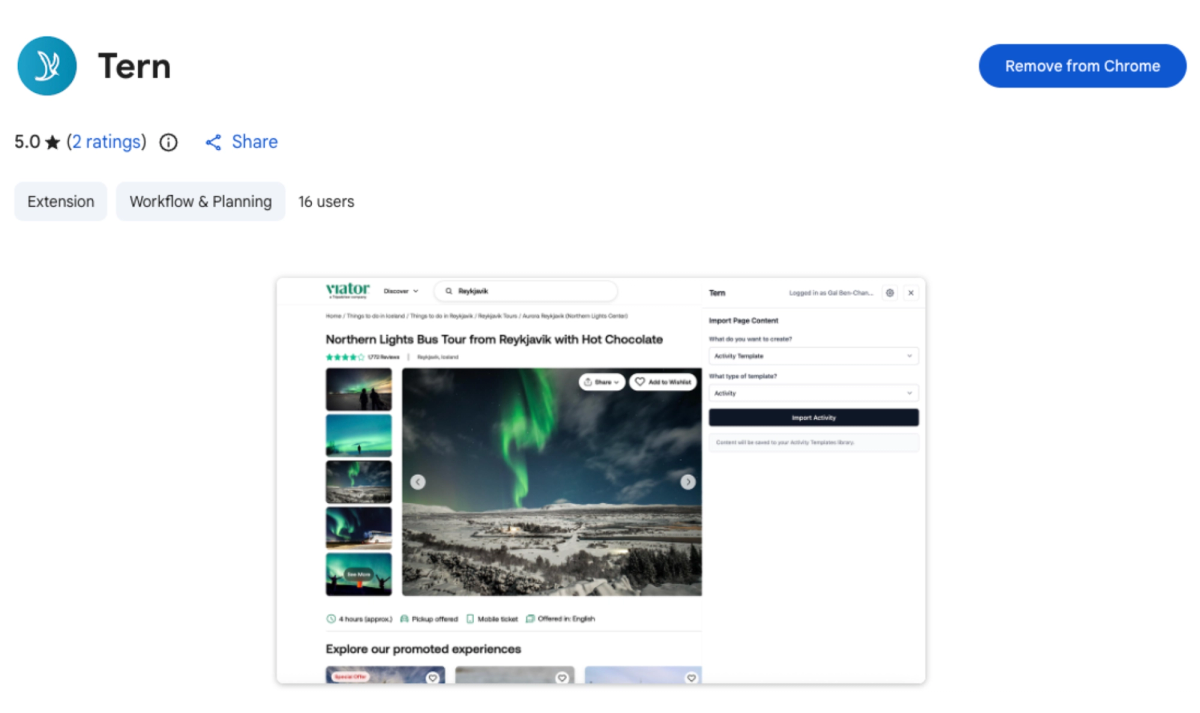
Getting content into your Tern library used to require a lot of manual work. The new Tern Chrome extension changes that. While browsing any itinerary, activity, form, or email online, you can import it directly into your library as the appropriate content type—trip template, activity, form, or email template—with just a couple of clicks.
Images work differently: right-click any image on the web and you'll see the option to add it to your Tern media library. You can assign it to an existing folder, rename it, and then jump straight to the file in Tern once it's saved.
Imports can take a minute or two for longer itineraries, but you can continue working in Tern while you wait. The extension isn't searchable in the Chrome Web Store yet—find the download link in the Help Center article.
Client location report
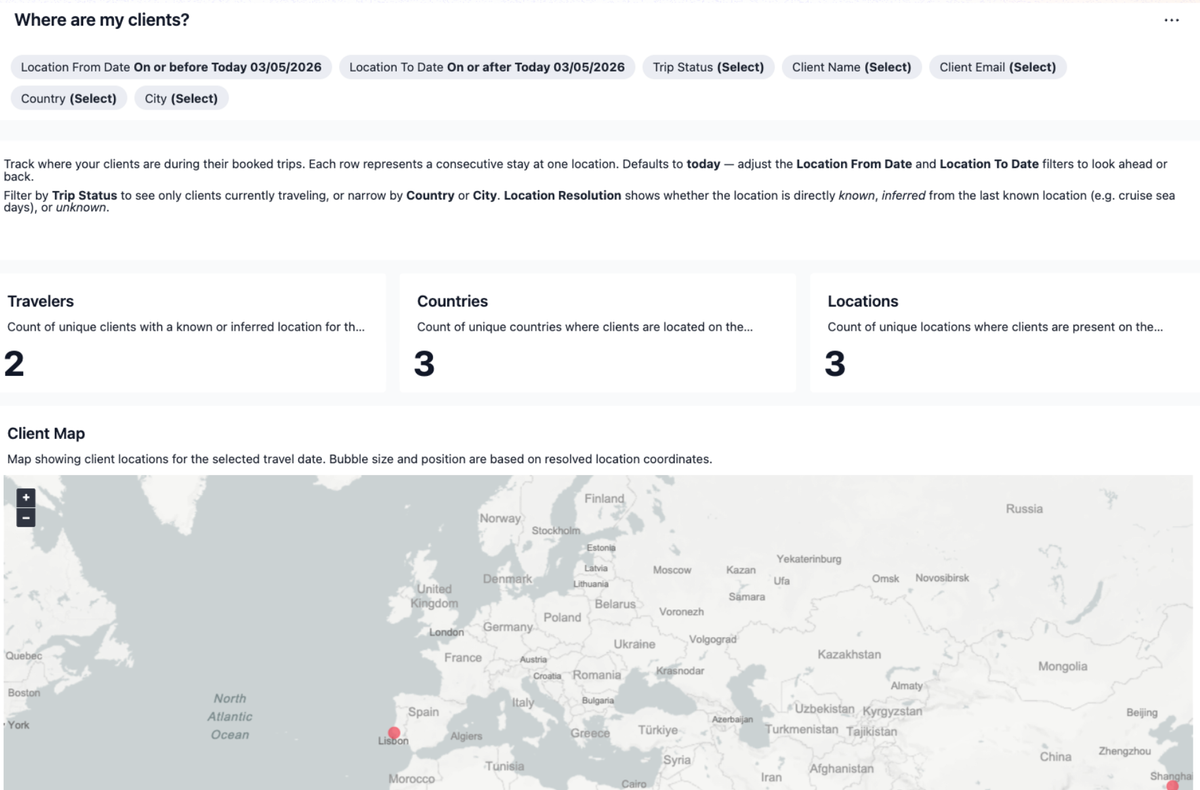
A new report called "Where are my clients?" gives you a real-time view of where your travelers are in the world. It shows each traveler's name, trip, and location, alongside a map you can hover over to see trip counts by region.
This is particularly useful in urgent situations—natural disasters or any event where you need to quickly identify which clients are affected and reach them. The report includes client email addresses so you can act fast. Filters let you narrow by city, country, or date range.
Agency owners can see clients across the whole agency; individual advisors see their own. If you haven't viewed this report before, it'll be on the second page of your reporting tab since reports are ordered by recency.
Insurance selection enforcement
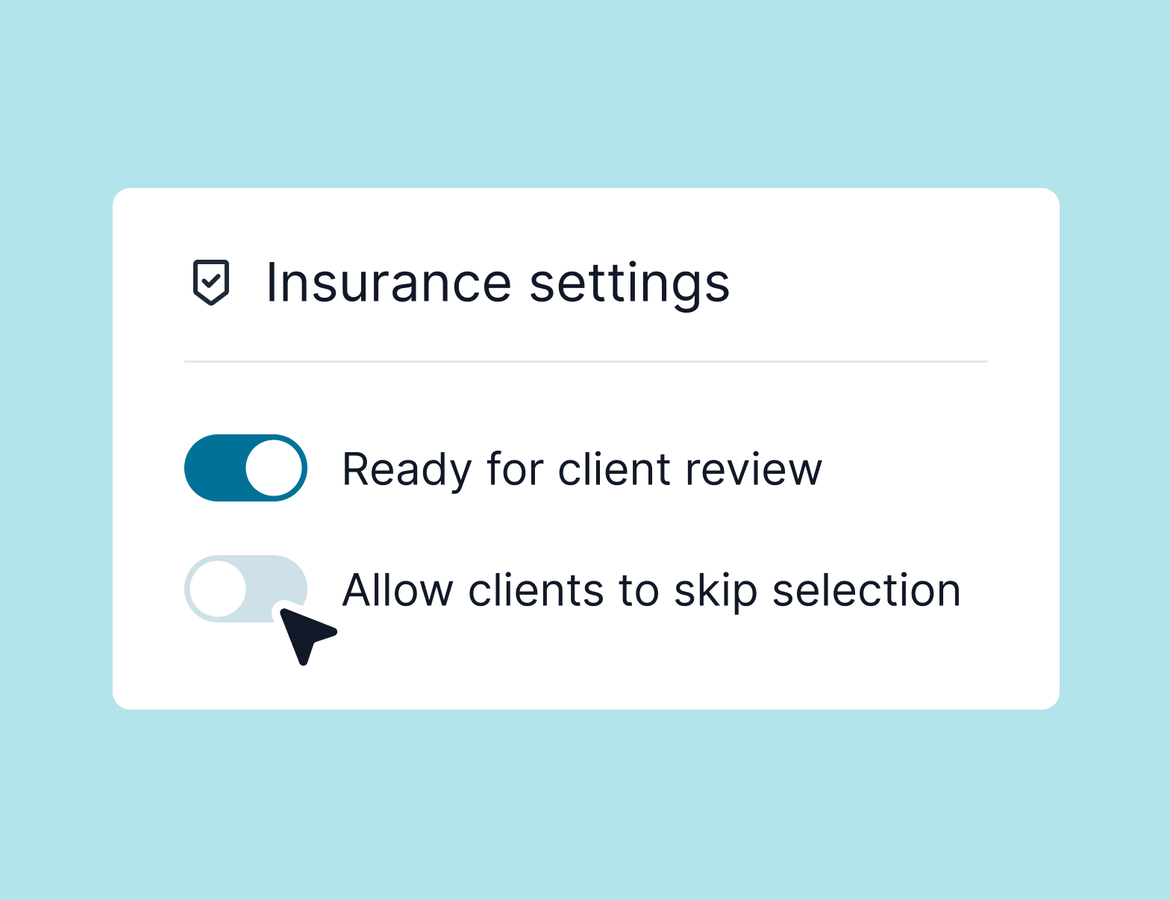
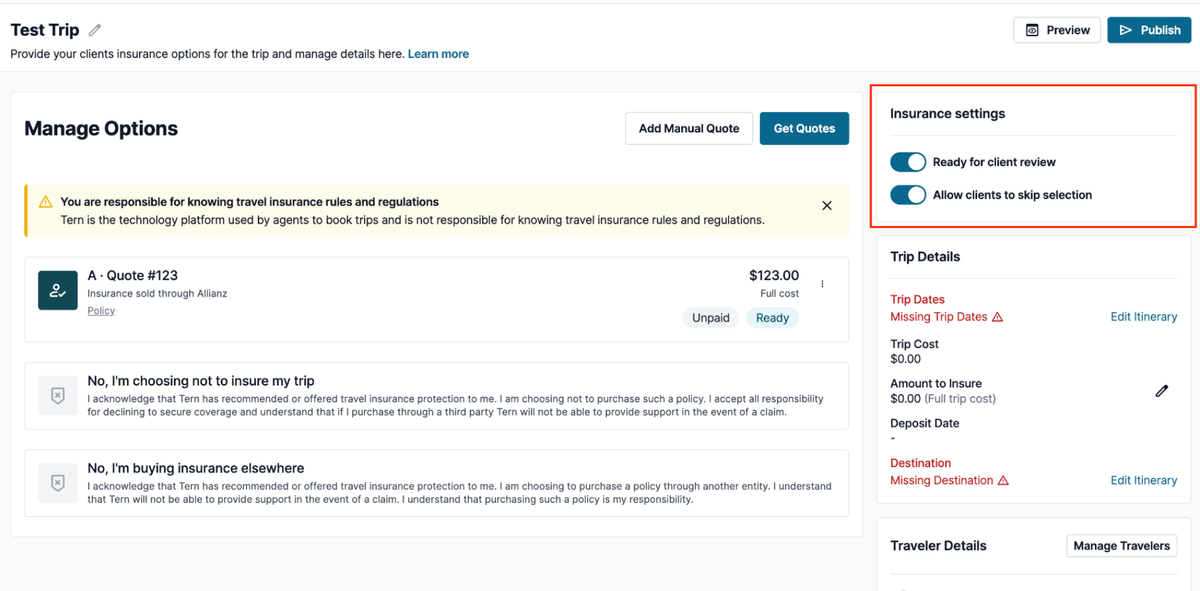
For any new trip you create, clients will now be required to either select an insurance option or explicitly opt out before they can move past the insurance screen. This setting is on by default, but you can toggle it per trip.
If you prefer to give clients flexibility earlier in the planning process, you can allow skipping temporarily and then turn enforcement back on closer to finalization. This has been one of the most requested insurance-related features, and the intention is to make sure that selection doesn't quietly get overlooked.
Quality of Life
A few smaller but meaningful updates also shipped this week:
- Project Expedition pricing now refreshes in real time during client booking, so travelers always see the most current rates directly from the supplier.
- The unclaimed booking matching process for agency admins is significantly faster, especially for larger agencies managing hundreds of potential matches.
- Attached documents on activity templates are now visible when previewing and copying a template—previously they were hidden during that flow.
- Deleting a trip status now lets you reassign any trips in that status before confirming the deletion, rather than blocking you outright. You can also choose whether to trigger any workflows associated with the new status.
- Finally, a new warning in email and scheduling settings flags any configuration that could affect email deliverability. The alert includes technical details you can forward to your email administrator if any issues are detected.
Note that we’ll be running closed betas for itemized package pricing and host agency commission reconciliation late this week or early next - if you are interested in participating in either, feel free to email molly@tern.travel.
That’s all for this week, excited to hear what you think!