
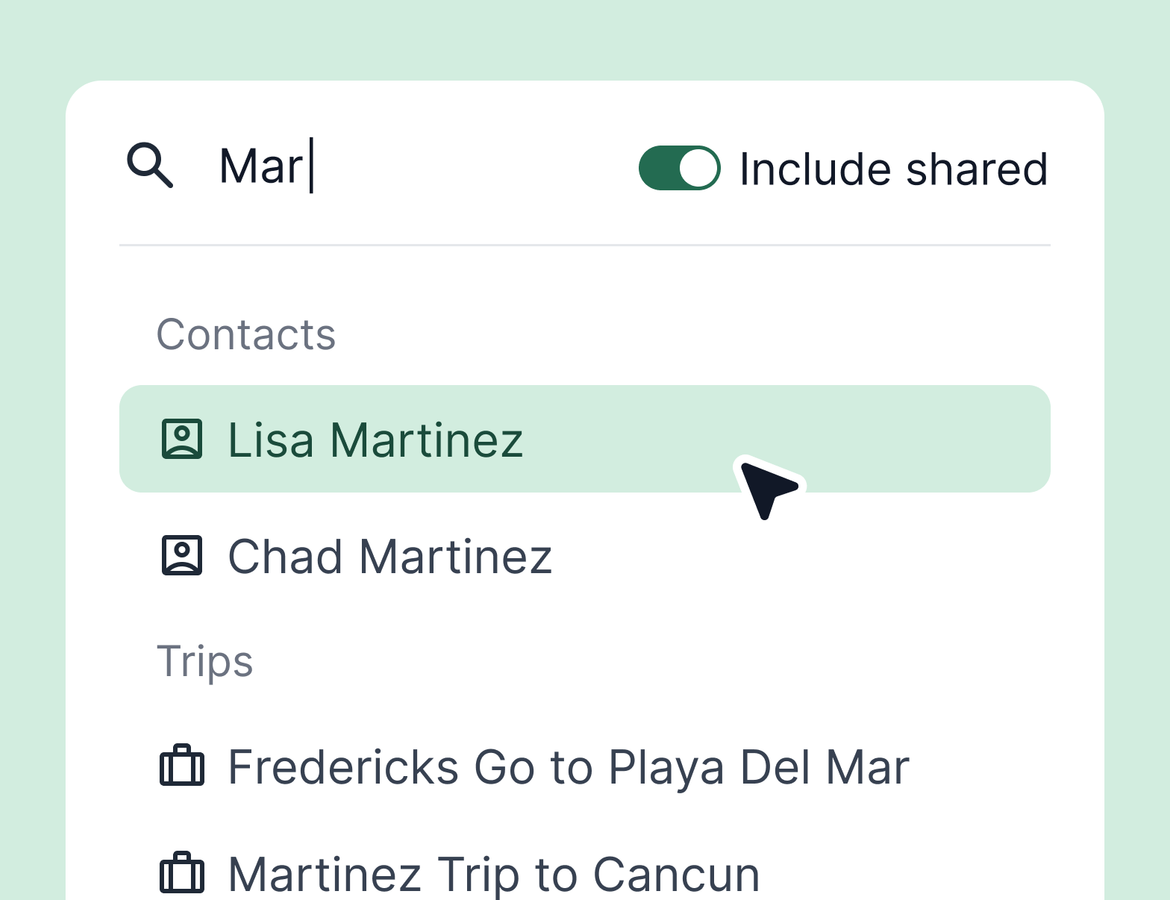
You know that trip is in Tern somewhere. Now it doesn't matter who owns it. This week's update makes shared trips and contacts searchable, takes address entry off your plate, and puts the numbers that matter on group trips right where you can see them. Plus a handful of smaller improvements across authorizations, itineraries, and commission reconciliation.
Search shared trips and contacts
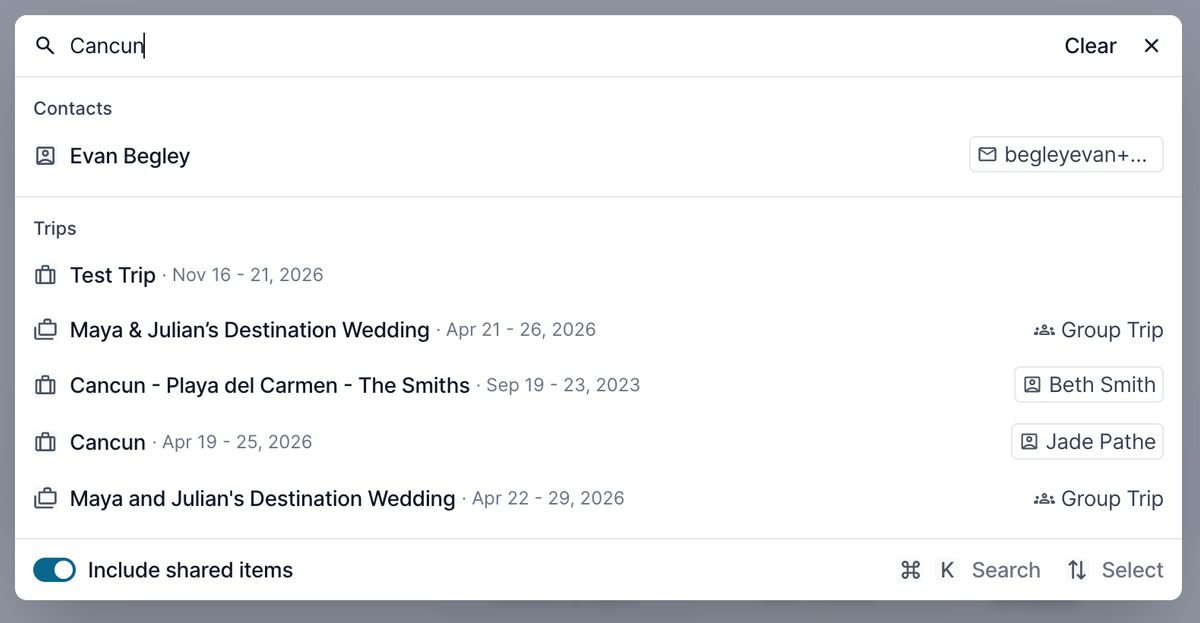
Global Search now includes trips and contacts shared with you, whether they come from your agency or directly from another advisor. Search a traveler's name and you'll see every matching contact and trip you have access to, along with who owns each one. Open them directly from the search results.
To include shared items in your results, toggle on the shared items setting in Global Search.
Addresses that fill themselves
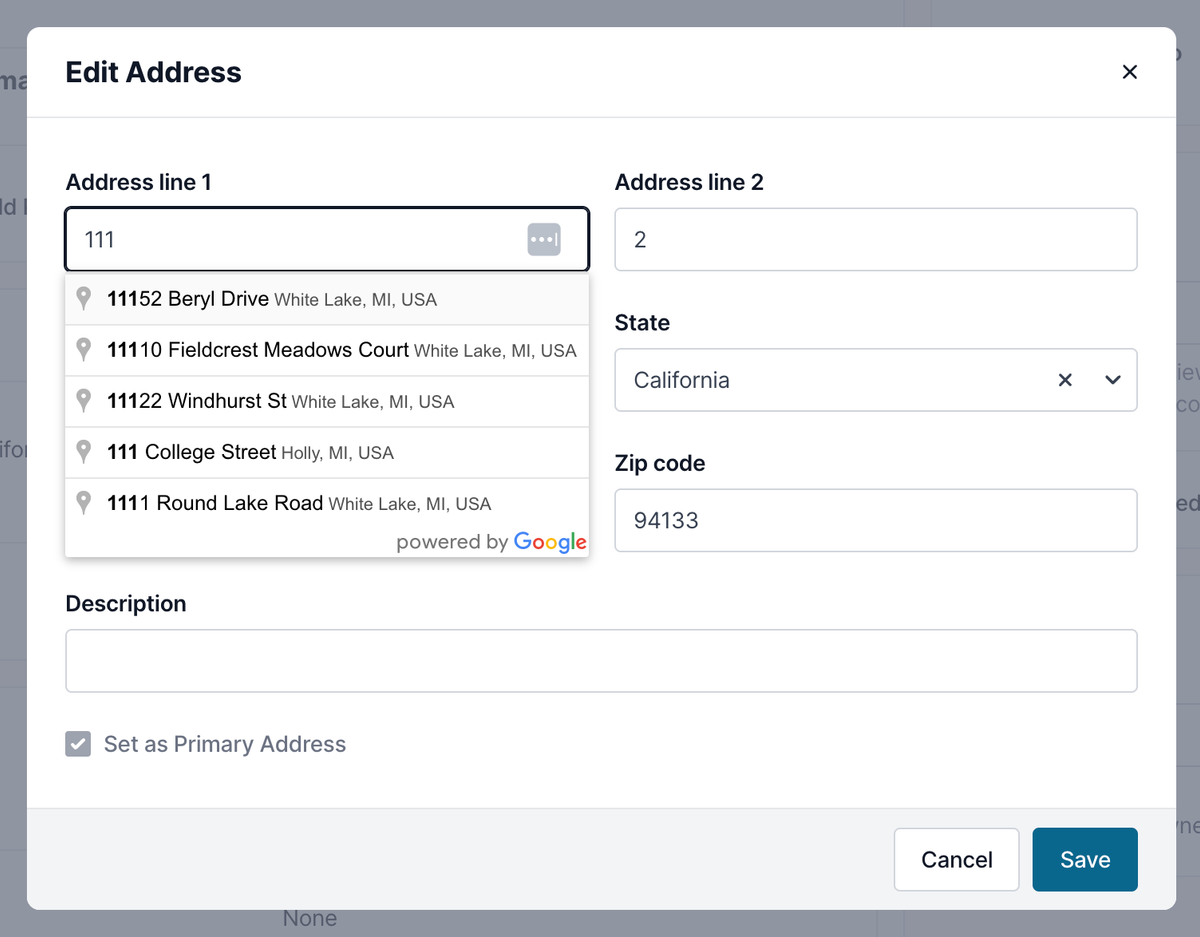
Typing out full addresses is over. When you add or edit an address on a contact, Google Places autofills it as you type. Start typing, select the match, save. Cleaner records with less manual entry.
Addresses also sync from credit card authorizations. When a traveler enters a new billing address while authorizing a payment, Tern adds it to their contact profile automatically. From there you can make it the primary address or delete an outdated one. If the address exactly matches one already on the contact, Tern leaves the profile alone, so you won't see duplicates.
Group trip summary
Group trips now show a summary at the top with active travelers, total cost starting at, and expected commission for items marked as booked.
The summary excludes canceled and archived sub trips. Commission from items not yet marked as booked is excluded too, and Tern flags it so you know there's expected commission waiting on a booking status. Mark the item as booked and the summary updates.

Quality of life improvements
- We renamed "Skip item" to "Authorize later" on trip authorization, so travelers know exactly what that option does.
- Traveler itineraries now show a Safari smart app banner on mobile, so travelers can jump straight into the Tern for Travelers app for the best experience.
- Synced itinerary items on group trip sub trips can no longer be deleted, only hidden from travelers. Deleted items were coming back on the next sync, so this removes the confusion.
- Card type labels like Visa, Mastercard, and Amex now display consistently across the app.
- Commission reconciliation statements can now filter by trip tag or contact tag, so you can find bookings for tagged trips or travelers without manual workarounds.