
This week is a big one. You can now set your notification preferences and enable push notifications on the Tern advisor app. Hotels by Tern shows every property in search. And AI Chat can build your workflows, read your calendar, and add hotels to trips at live rates. We’ve also made email campaigns easier to track, added new contact filters, and shipped a set of quality of life fixes.
Notification settings and push to the advisor app
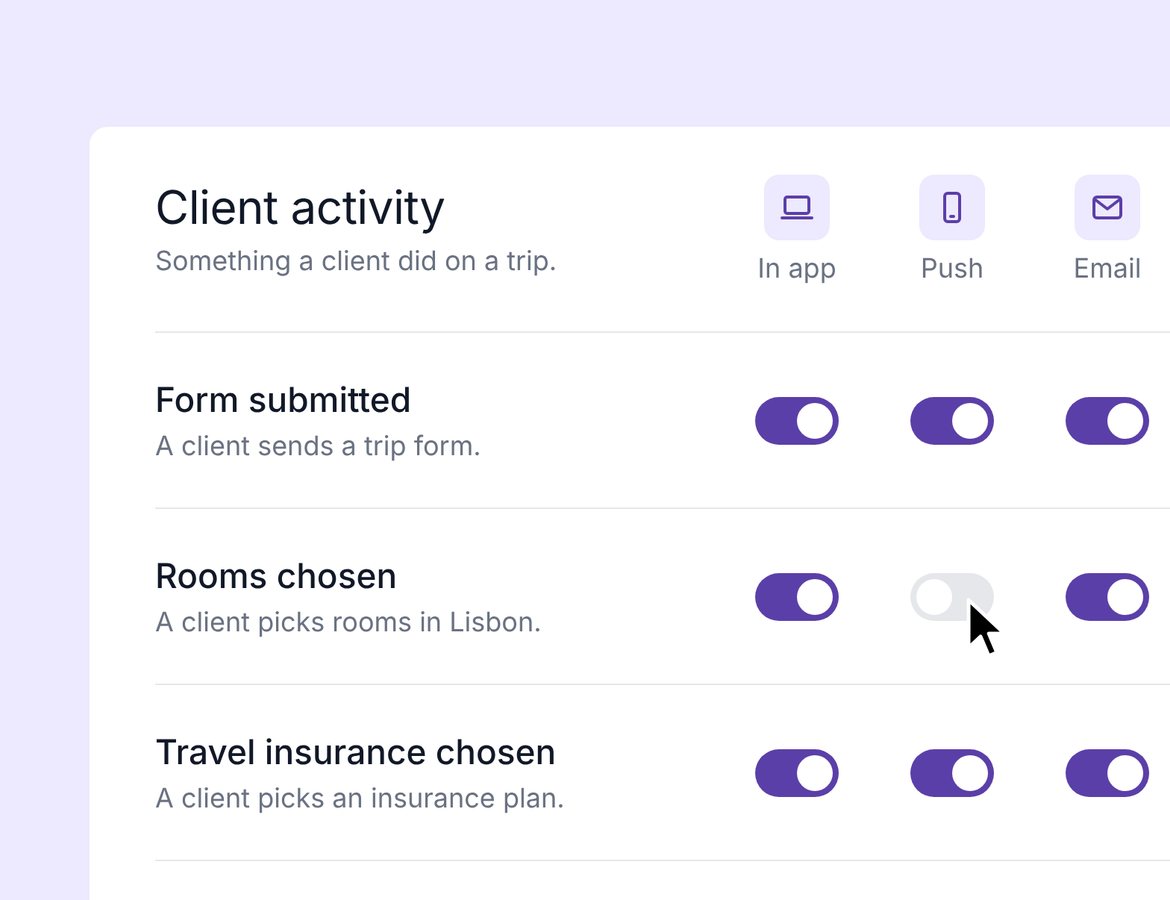
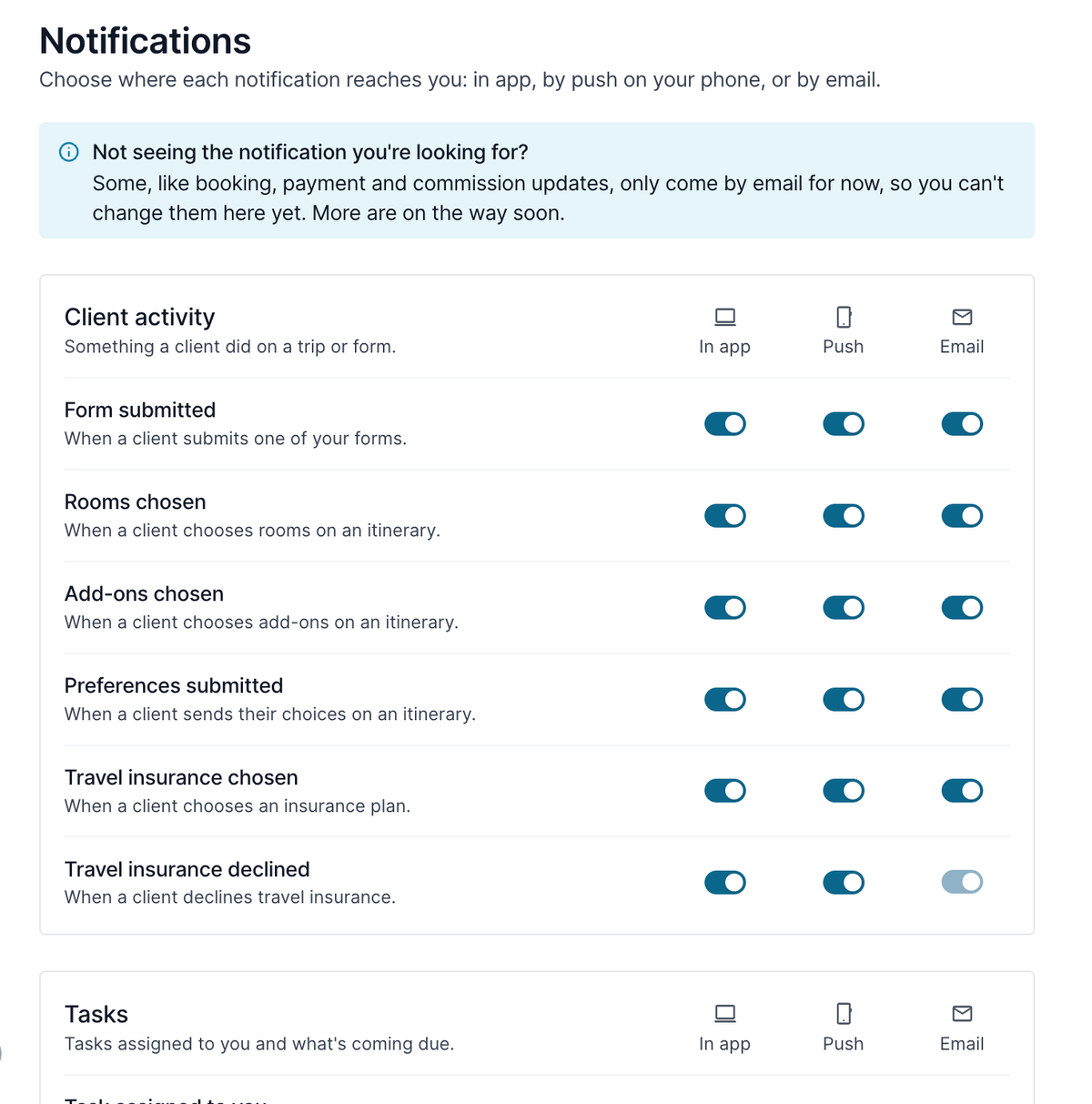
Go to Settings → Notifications to see every notification type, each with its own In app, Push, and Email switch. The gear icon in the notifications drawer opens the same page.
Push notifications go to the Tern advisor app, and tapping one takes you straight to what it’s about. To get them, install the app and allow notifications.
Tasks due tomorrow now come as one summary each morning, in app and by push. Every switch starts on. Booking, payment, commission, and flight updates aren’t in settings yet, so those still come by email. We’re working on adding them.
More information on how to join the beta for the advisor app is here.
Hotels by Tern: every property shows in search
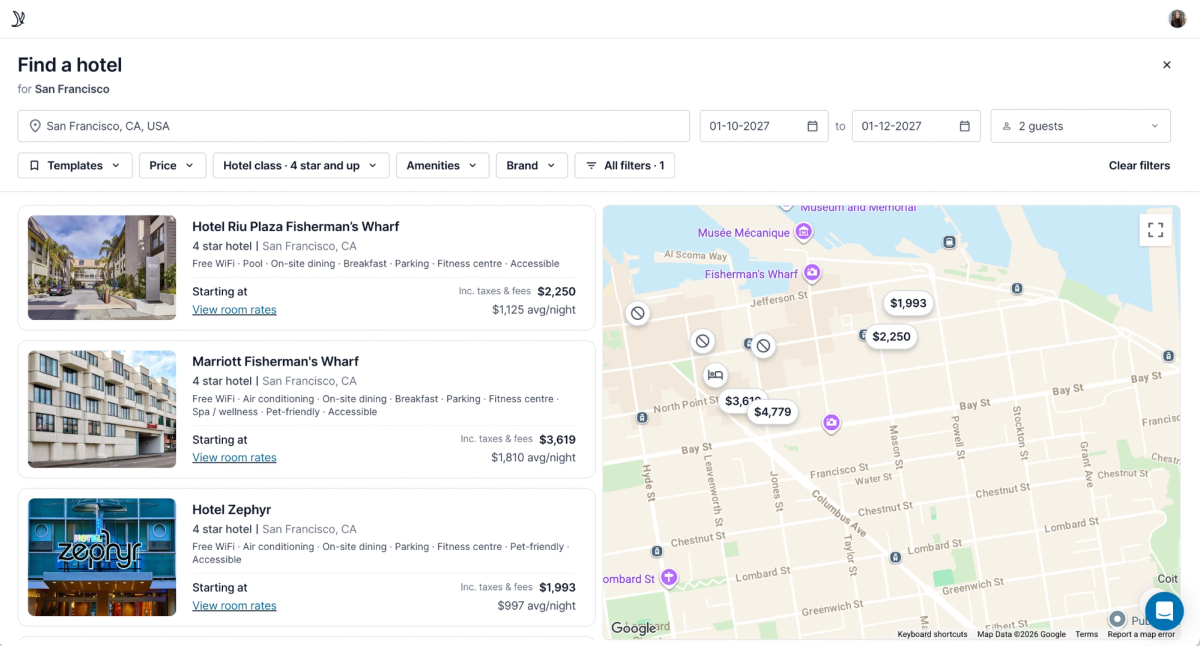
When you search the Hotel Booking library, you now see every property that matches, not only the ones with a live rate. Bookable hotels still show first.
If a hotel has no rate, the card tells you why: Rate unavailable, Not bookable via Tern, or Rates not available yet (more than 365 days out). Room prices now show right on the map, so you can scan your options faster.
If you’re booking with a different supplier, you can add a room manually right from search. Everything you can do in the Hotel Library now works here too.
AI Chat builds forms, workflows, and automations
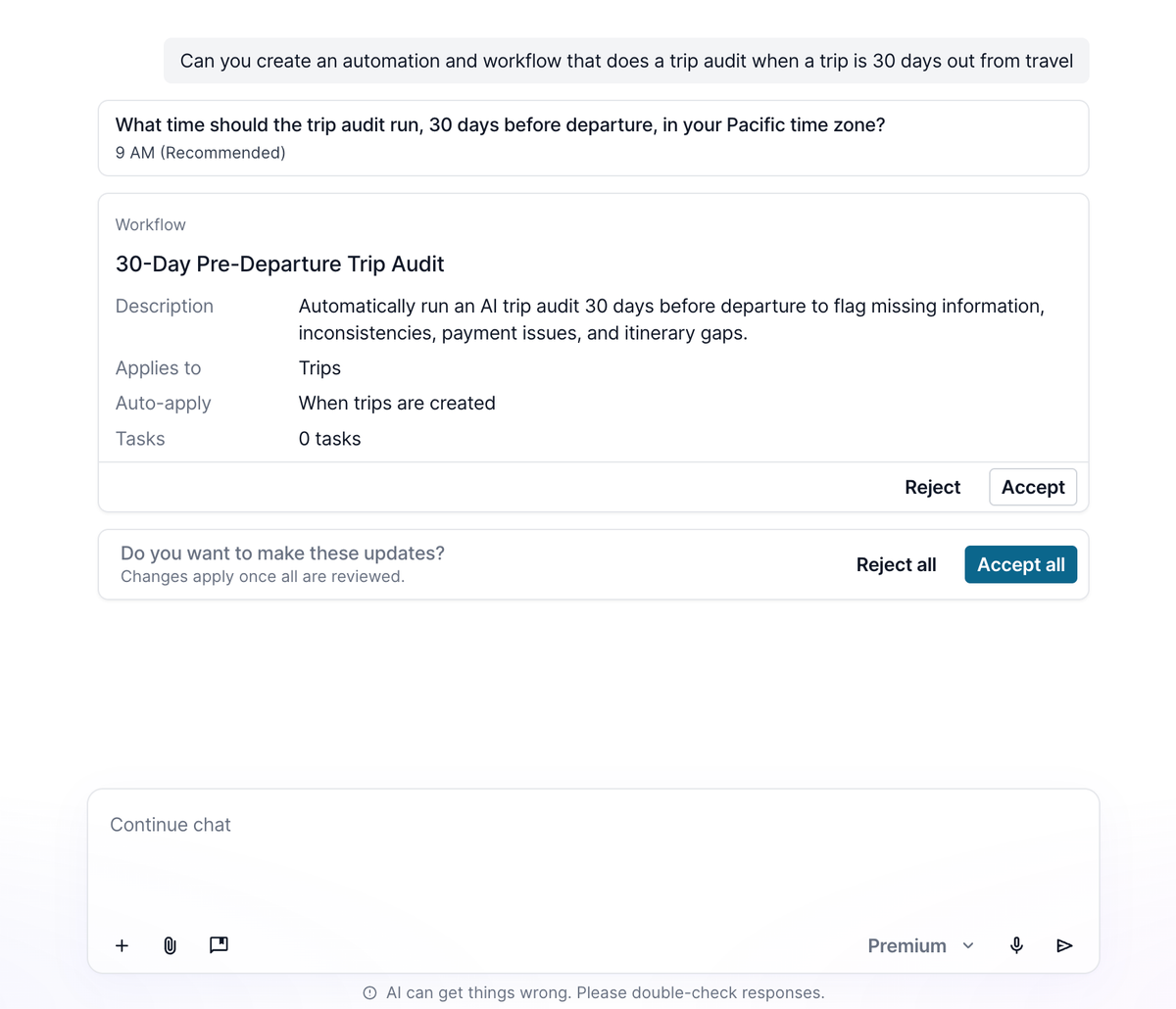
You can ask chat to create, copy, or edit forms, workflows, and automations. Every change shows a confirmation card, and nothing saves until you accept it.
Automations can use any trigger and timing and run up to ten actions. Chat can also set a workflow to auto-apply, but only the workflow’s owner can turn that on. Try: “Create a workflow and automation that runs an AI trip audit 30 days before the trip starts, auto-applied when the trip status changes to booked.” Chat can also look at your existing workflows and help you figure out what you need.
AI Chat adds Hotels by Tern stays to trips
Ask chat for hotels near a city or landmark with live rates. Try: “For my San Francisco trip, find hotels under $500 a night near Fisherman’s Wharf.” Compare rooms side by side, pick one, and chat adds it to your trip at the quoted price, ready to book.
Chat prices one room at a time, so for stays with more than one room, add each room separately.
AI Chat reads your synced calendar
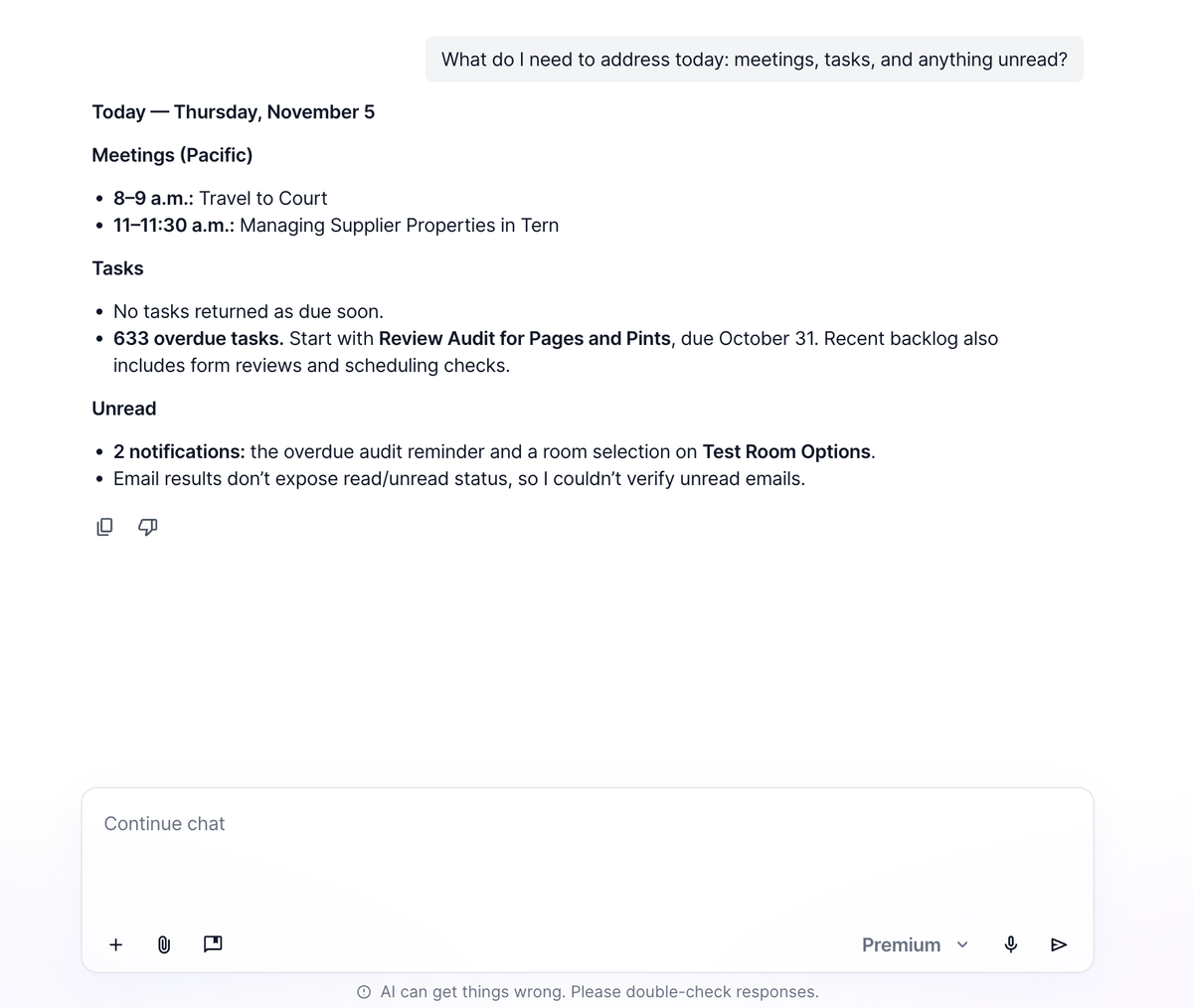
Once your calendar is connected, chat can tell you what’s coming up, who’s attending, the meeting link, and what’s in the invite. Attendees who are your contacts are linked, so asking chat to “pull up that contact” takes you to the right person.
Try: “What do I need to address today: meetings, tasks, and anything unread?”
Email campaigns show progress and recipients
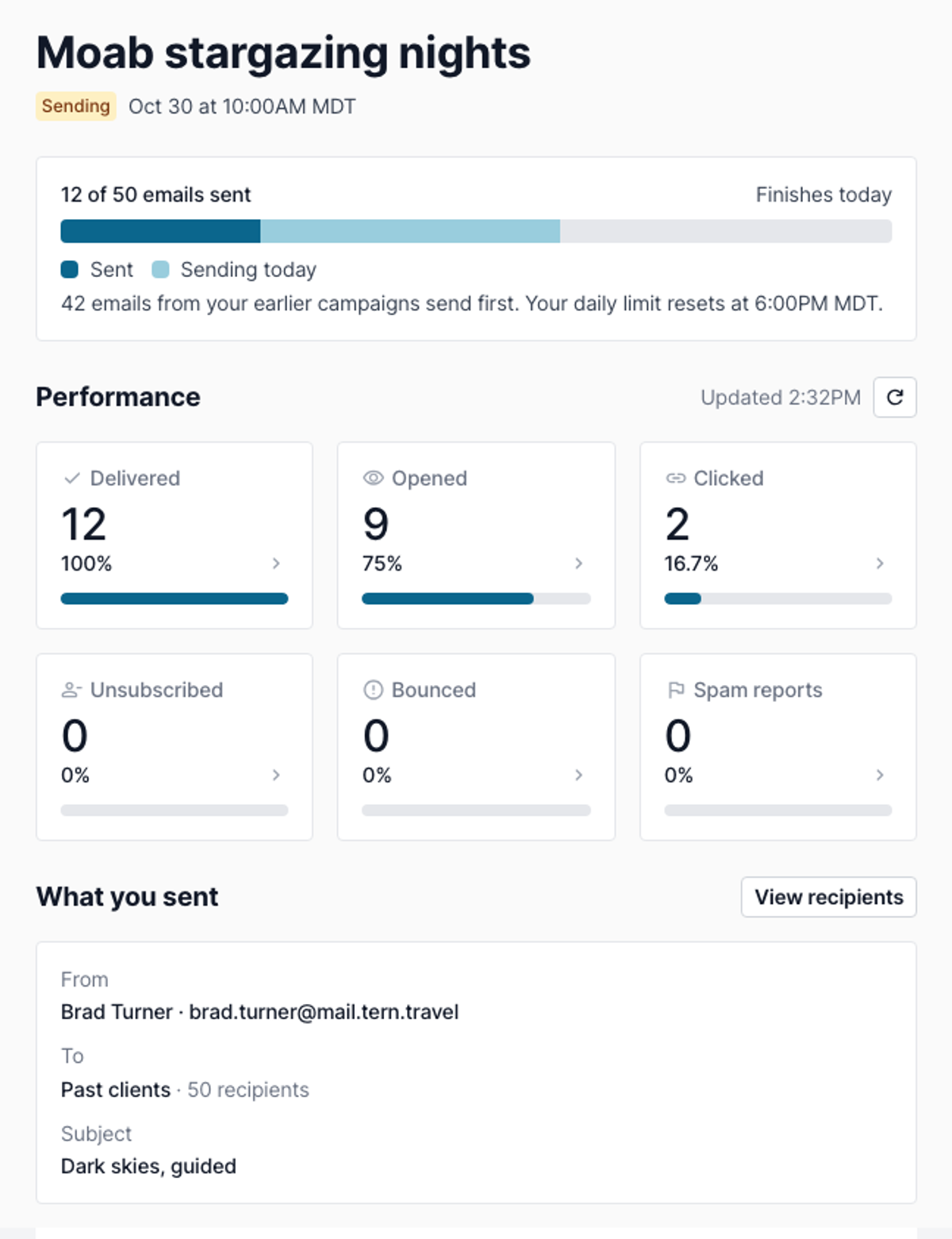
Campaigns send gradually, within your daily limit. Review and send now shows when sending will start and how many days a big send will take.
While a campaign sends, a progress bar shows what’s sent, what’s going out today, and when it will finish. Stats show while sending or paused. View recipients lists everyone included when sending started, with a status for each: Sent, Queued, Failed, or Not sent (on a paused campaign).
Chat can also link campaign buttons and images to a trip or form, so you can build a full campaign in AI Chat.
Filter contacts by email history and trips
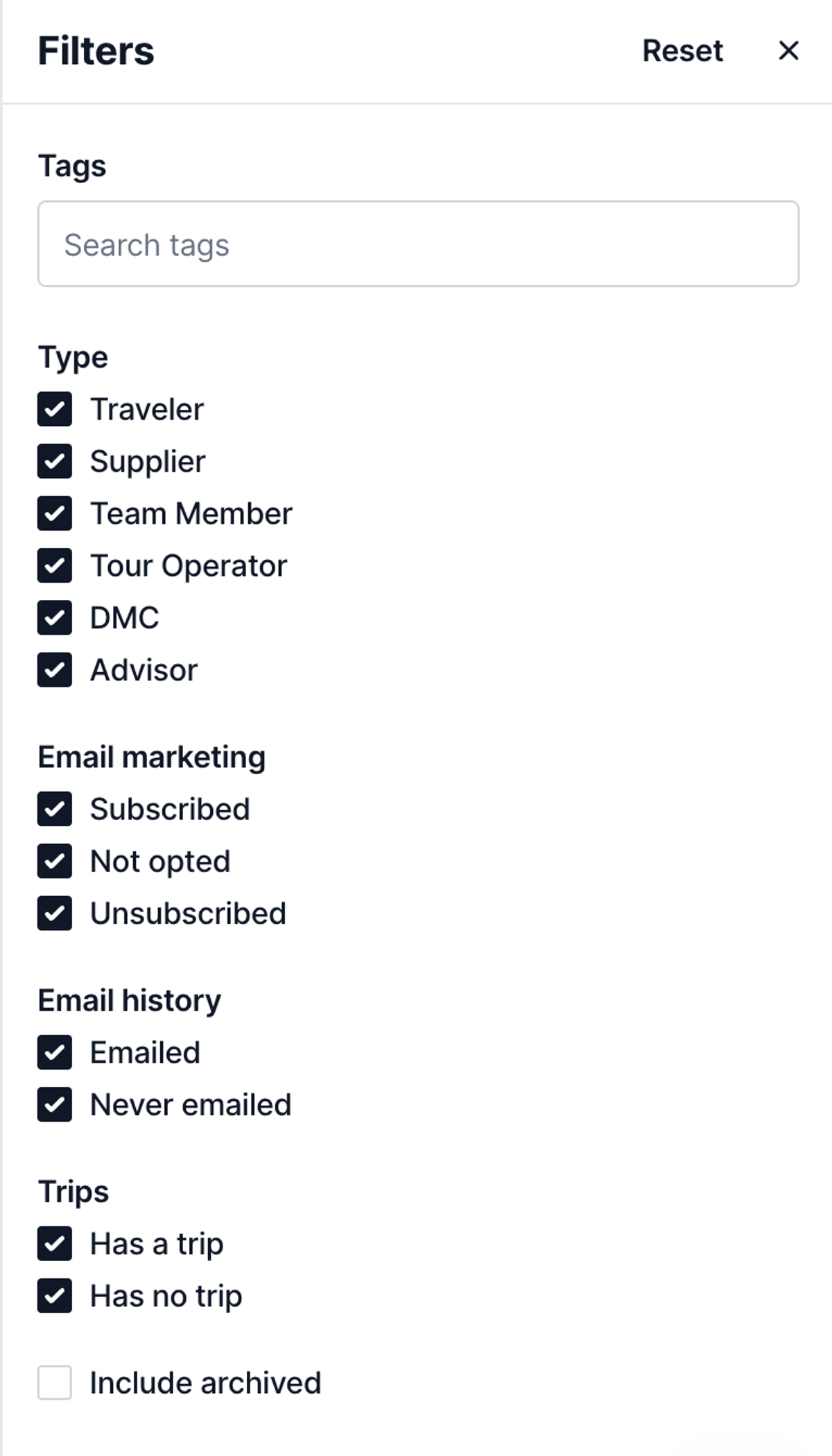
Contacts → My contacts → Filter now includes Email history (Emailed / Never emailed) and Trips (Has a trip / No trip). For example, you can find contacts you’ve never emailed who have no trips, then bulk-edit their marketing subscription or export the list.
Only traveler contacts have email history, so suppliers and DMCs always show as Never emailed. You can’t change the subscription for contacts who unsubscribed themselves.
Quality of life
- Automations tabs now open sorted by upcoming trigger date, earliest first
- Contacts, Tasks, Trips, Documents, and other tables show which column they’re sorted by, and one click reverses the order
- Uploaded By on documents now sorts by uploader
- Shared forms and workflows show their tags in preview, and copies keep those tags
- Email triage skips spam, junk, and deleted email in Gmail, Outlook, and other inboxes
- The Hotel Library and Hotels by Tern map search is cleaner, with less clutter and softer lines
- Agency supplier profiles:
- Quick actions for Agency preferred and tags in the profile header
- Phone numbers and emails shown on the profile, instead of “click to contact”
- Main supplier listing details expanded by default, instead of hidden under “show more”