
This was a big week for agency owners. Multiple commission splits are now part of reconciliation, mentor programs can run on autopilot, and unclaimed commission can finally find its way back to the right agent. AI Chat picked up a few new skills too. Here's what's new.
Add splits during commission reconciliation
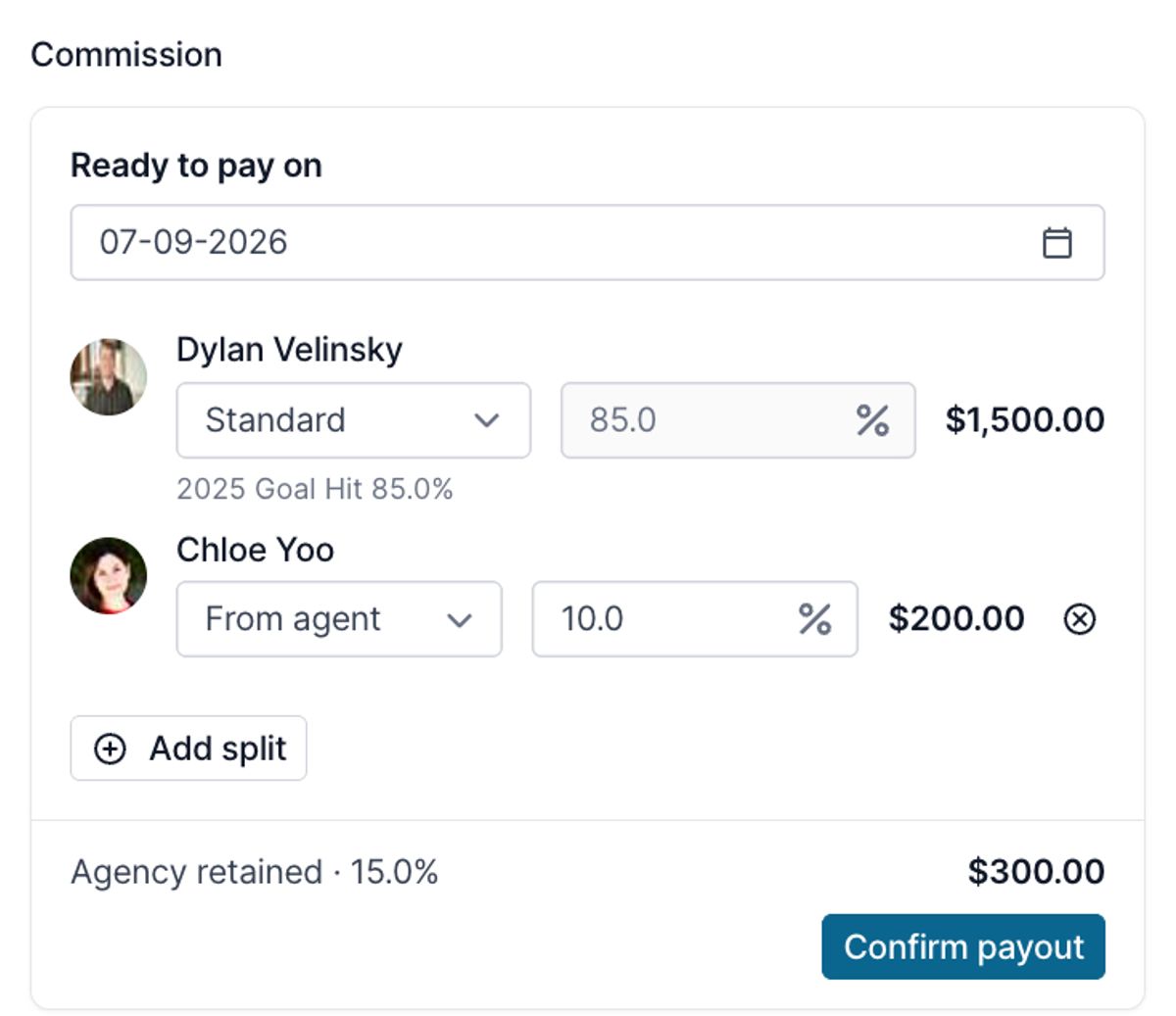
When commission comes in and you know 2 agents worked the booking together, you can now add the split right there in reconciliation. Select who the commission should be split with, set the percentage, and choose whether the split comes out of the agent's share or the agency's share. The math updates in real time so everything still adds up to the full amount received.
Some agencies flag shared bookings with a special commission type and a note on who the agent worked with. Once you see that indication, adding the split takes seconds. Confirm the payout, run payroll normally, and each agent gets their regular payout statement with the commission and booking they're being paid for.
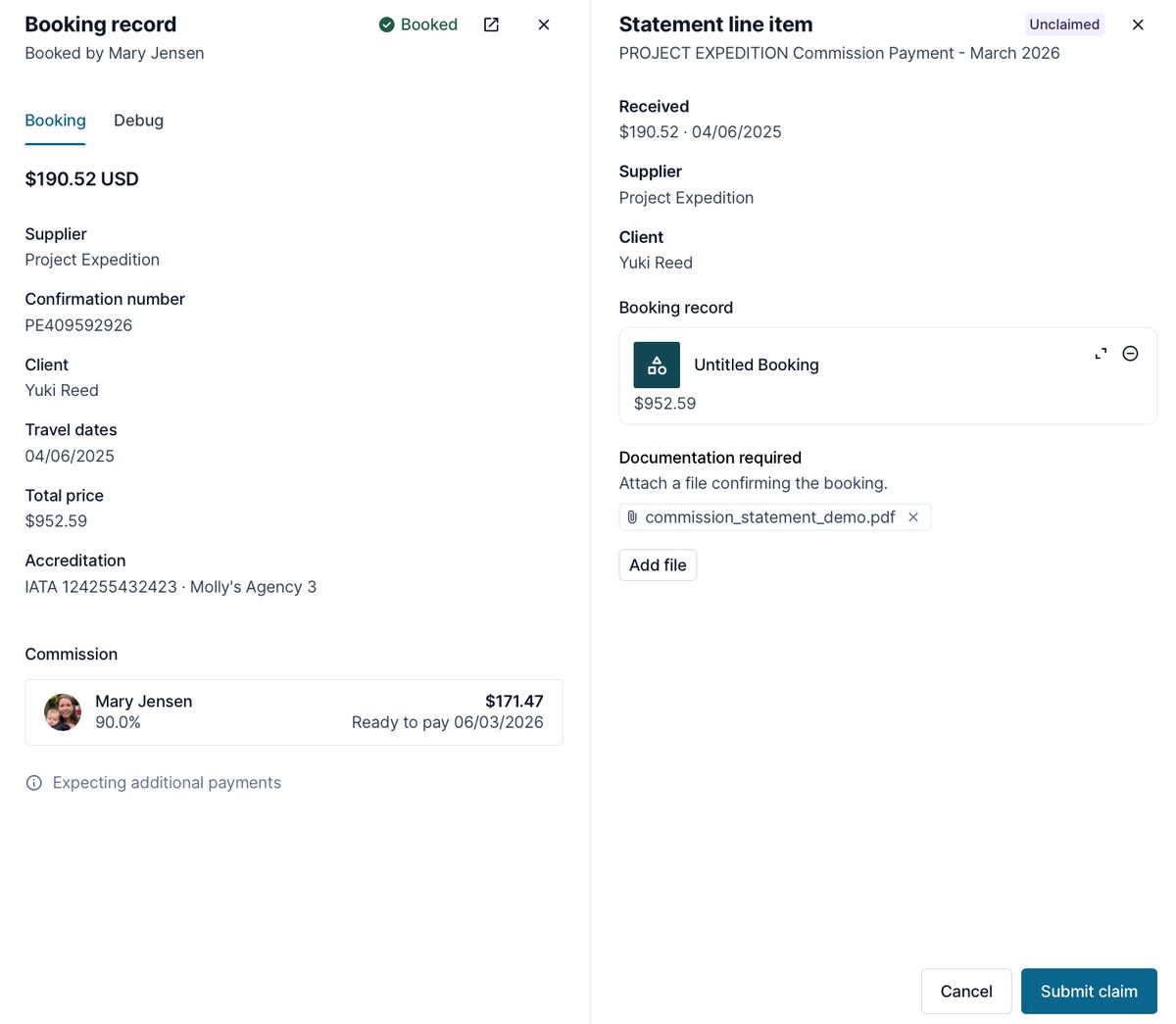
This is built on the new booking drawer, a redesigned double-panel view you'll now see anywhere you're reviewing bookings or logging payouts. Booking information on one side, line item details on the other, with prior payouts visible if you have them. Learn more.
Mentor splits run automatically
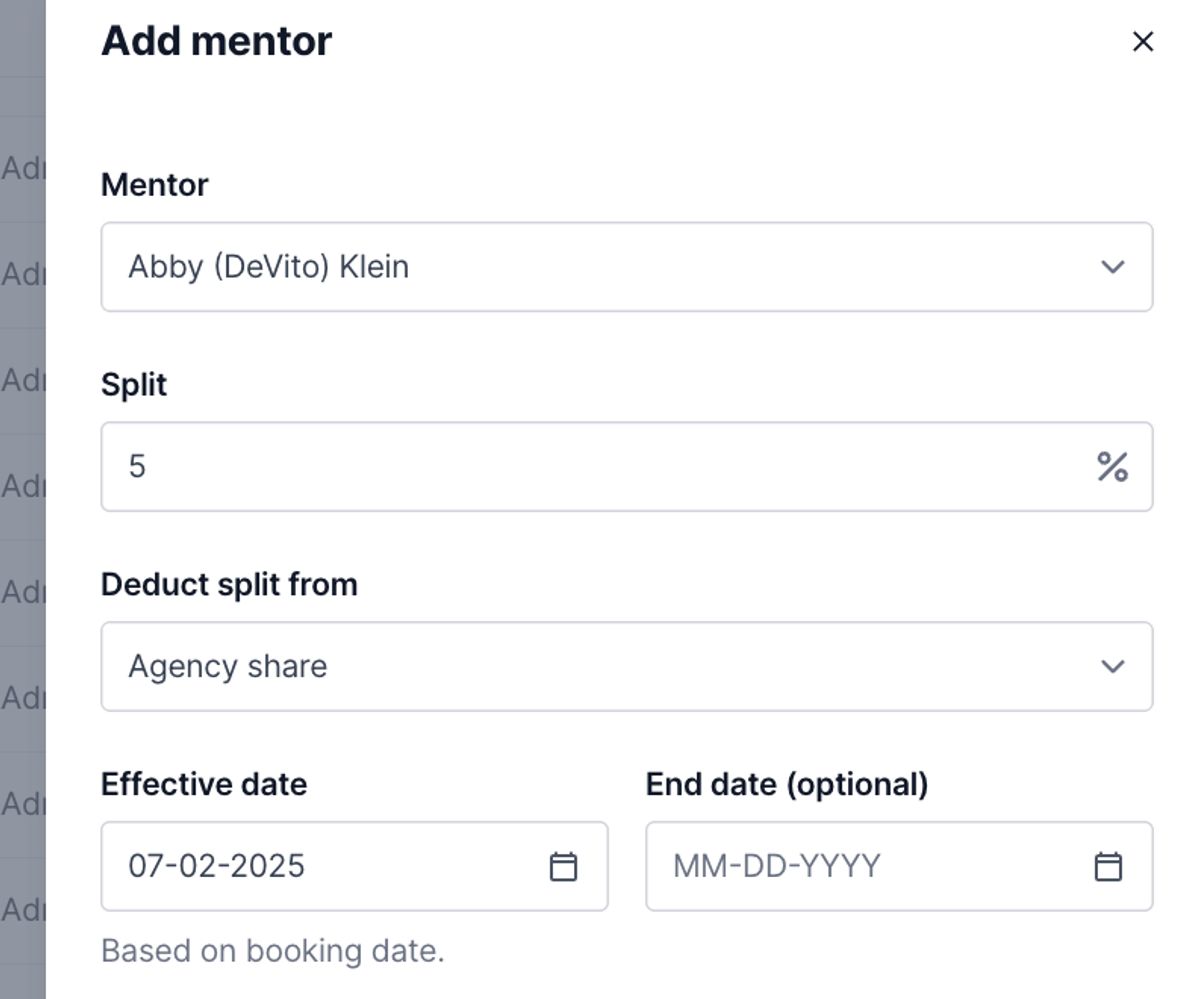
This one has been a big request for a while. If a mentor always gets a percentage of their mentees' commission, you can now set that up once instead of adding the split on every booking.
Add a mentor to an agent, set the percentage, choose whether it deducts from the advisor share or the agency share, and set the effective date. From there, any booking the mentee submits gets checked against the booking date. If there's an active mentor split at that date, it's added automatically, in the same split experience you'd see if you added it by hand.
You can add multiple mentors per agent if your program needs it. Your mentor program keeps running, and nobody has to remember to add the split. Learn more.
Agents can claim unclaimed commission
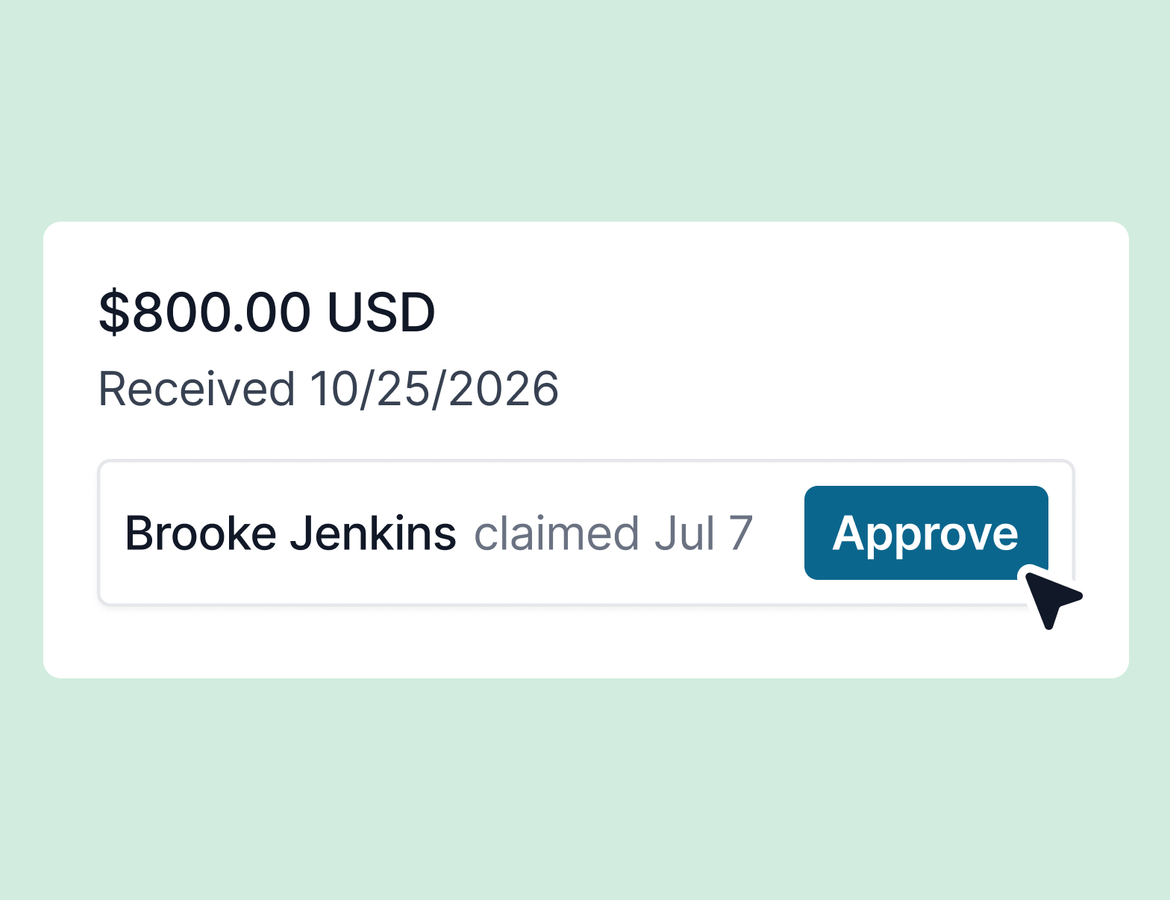
Unclaimed commission has always been a dead end. Now your agents can help clear it. This is entirely optional to set per agency. Turn it on in agency controls, and agents get an unclaimed bookings tab in their commission view.
You stay in control of the experience. Choose which fields are visible to agents, and require documentation before a claim can be submitted. If an agent is named on an unclaimed booking, they're the only one who sees it.
When an agent spots a booking they think is theirs, they can search their own booked records, compare the unclaimed line item side by side with their booking, attach documentation, and submit the claim. Once a claim is submitted, that booking is hidden from other agents until you approve or deny it. Approve and it's resolved. Deny and it goes back into the queue. Either way, the agent gets an email with their claim confirmation and status for their records. Learn more.
AI Chat keeps expanding
AI Chat added several new skills this week:
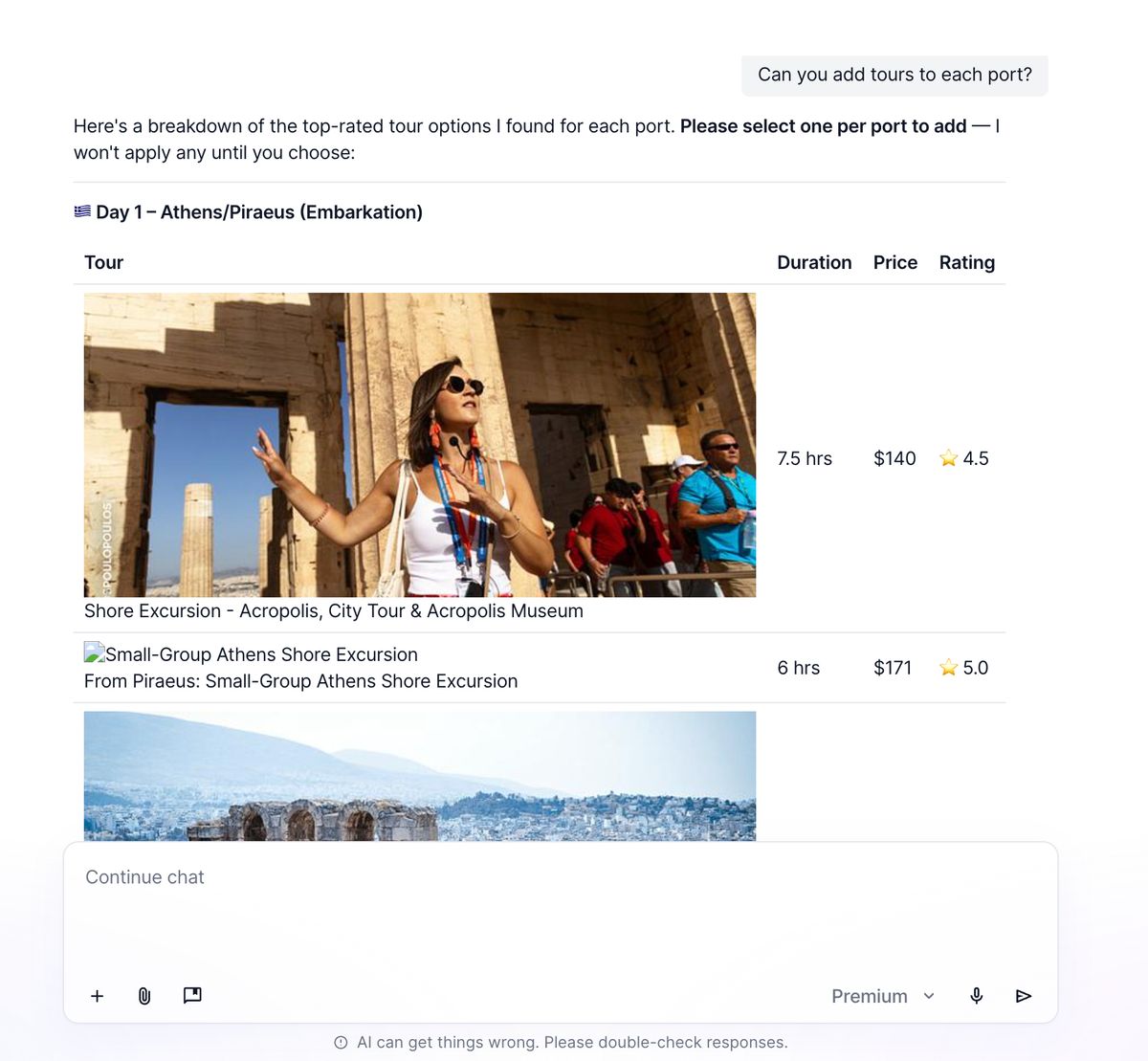
- Tour suggestions. Ask for tour ideas and AI Chat searches Project Expedition, returning options with duration, rating, and price. If your trip has travelers, it pulls their contact profiles, preferences, ages, notes, and trip forms to tailor its recommendations.
- Email template context. AI Chat can now draw from your saved email templates, so you can ask it to draft a message pulling from a specific template in your library.
- Save prompts from chat. Found a prompt worth reusing? Ask AI Chat to save it straight to your prompt library.
- Higher character limit. Longer prompts now fit.
One tip from the team: if you're switching to a distinct task, start a new chat. It keeps responses sharper since AI Chat doesn't have to parse through all the prior context on the thread.
That's the week. Excited to hear what you think, and we'll be back next week with more.