


At our User Conference 2026 opening keynote, we launched three entirely new products: our advisor mobile app, an AI-enabled email marketing suite, and the fastest way to quote and book hotels with Hotels by Tern. But we didn't stop there.
At our closing keynote two days later, we launched 20 more features, each inspired by requests and feedback we heard from advisors and agency owners during the conference.
I have never been prouder of our team. Throughout the conference, our engineers, designers, and product managers were working behind the scenes, picking up feedback the moment it came in and turning it into new features that will help our community in ways both big and small.
And I'll never forget the reactions from advisors in the audience. Yes, there's excitement, and cheering, and clapping, but also a visible sense of relief and gratitude that our team heard them, prioritized their feedback, and delivered something that will make each and every day easier.
This is what I love most about building Tern. Our community doesn't just use the product; you shape it. You tell us what's slowing you down, you trust us to fix it, and you keep telling us what's next. Very few people get to build for a community like that, and I never take it for granted.
Here's everything we built, what it does, and how it helps your business.
For your travelers
Quick itinerary comparison
Selling a cruise against another line, ship or sailing date? Put every option in one trip and let your clients weigh them side by side: cover photo, price, and a day-by-day snapshot of each, so the daily plans line up next to each other. It works for any mix of options, like a cruise against a resort, too. They can choose their favorite right from the comparison, on the web or in the Tern traveler app, where they swipe between options. No separate quoting tool, and no clicking in and out of each option to remember what was different.
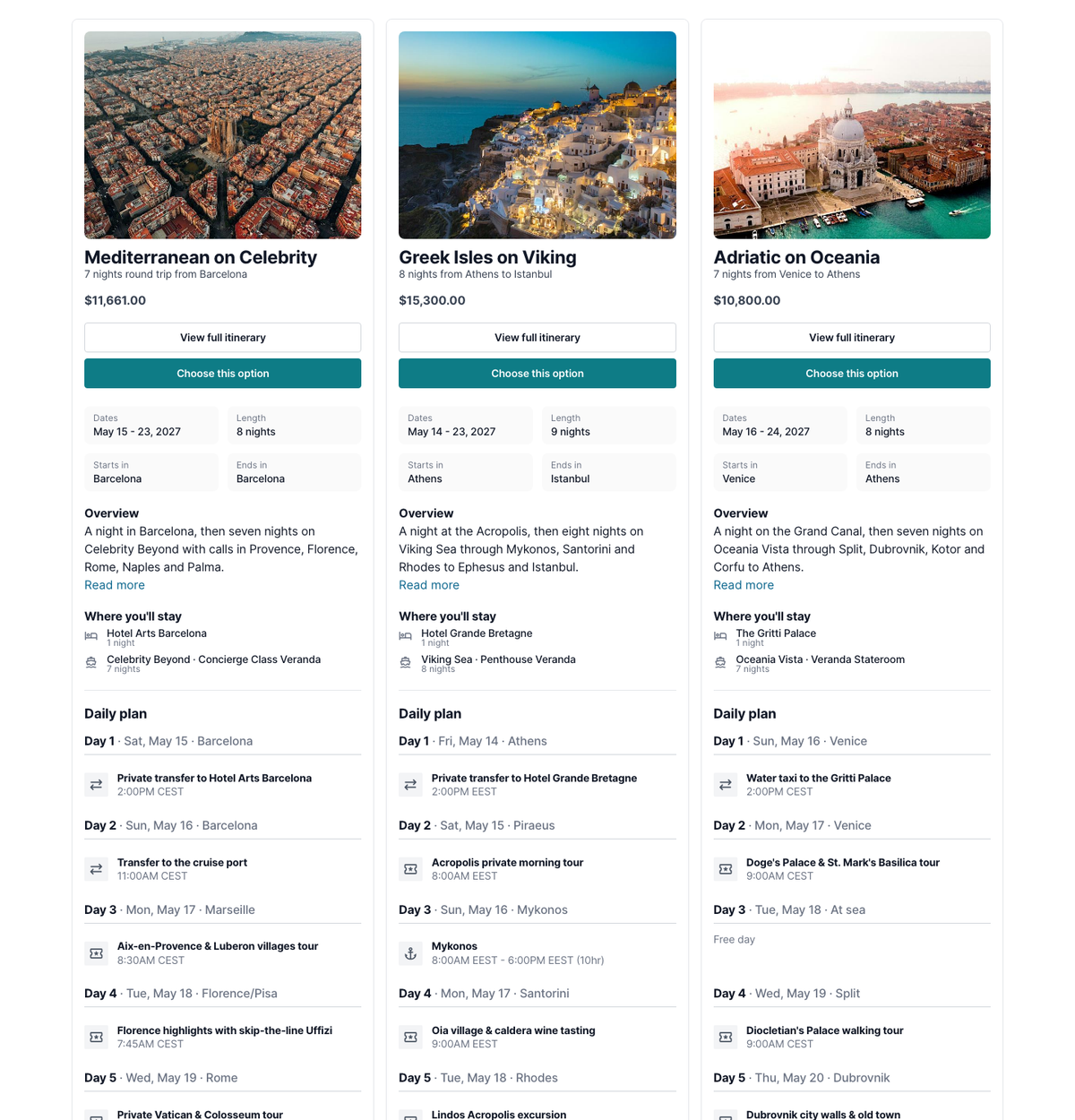
Itinerary countdown timer
Nothing builds excitement like watching the days tick down. Add a live countdown to the top of your itinerary, styled in your brand color and your itinerary's font, so every time your clients check their trip, they're reminded who made it happen. On departure day it turns into a travel day badge. Turn it on itinerary by itinerary, or for every new itinerary in your brand settings. Your trips board now shows days to departure, too. (No brand color yet? Set one. It styles your whole traveler view.)
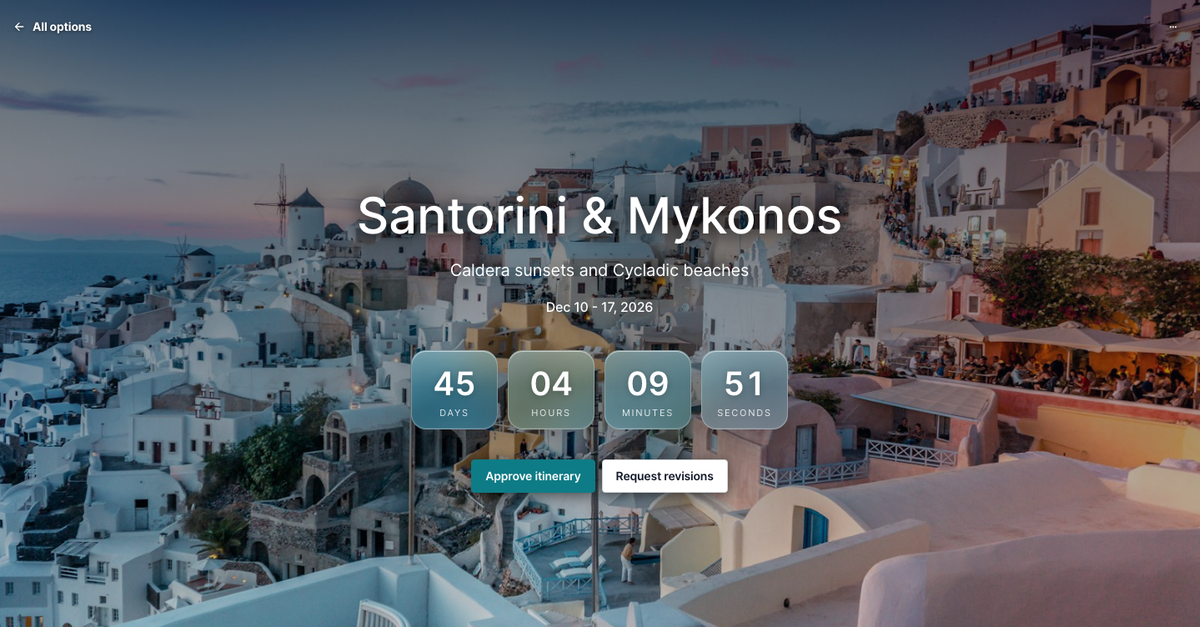
A new hotel photo gallery
Travelers book with their eyes. Click any hotel photo and see the whole property in one grid, without clicking through a slideshow. On the hotel page, photos are sorted into rooms, dining, facilities and more, so you can find the suites or the pool in seconds.
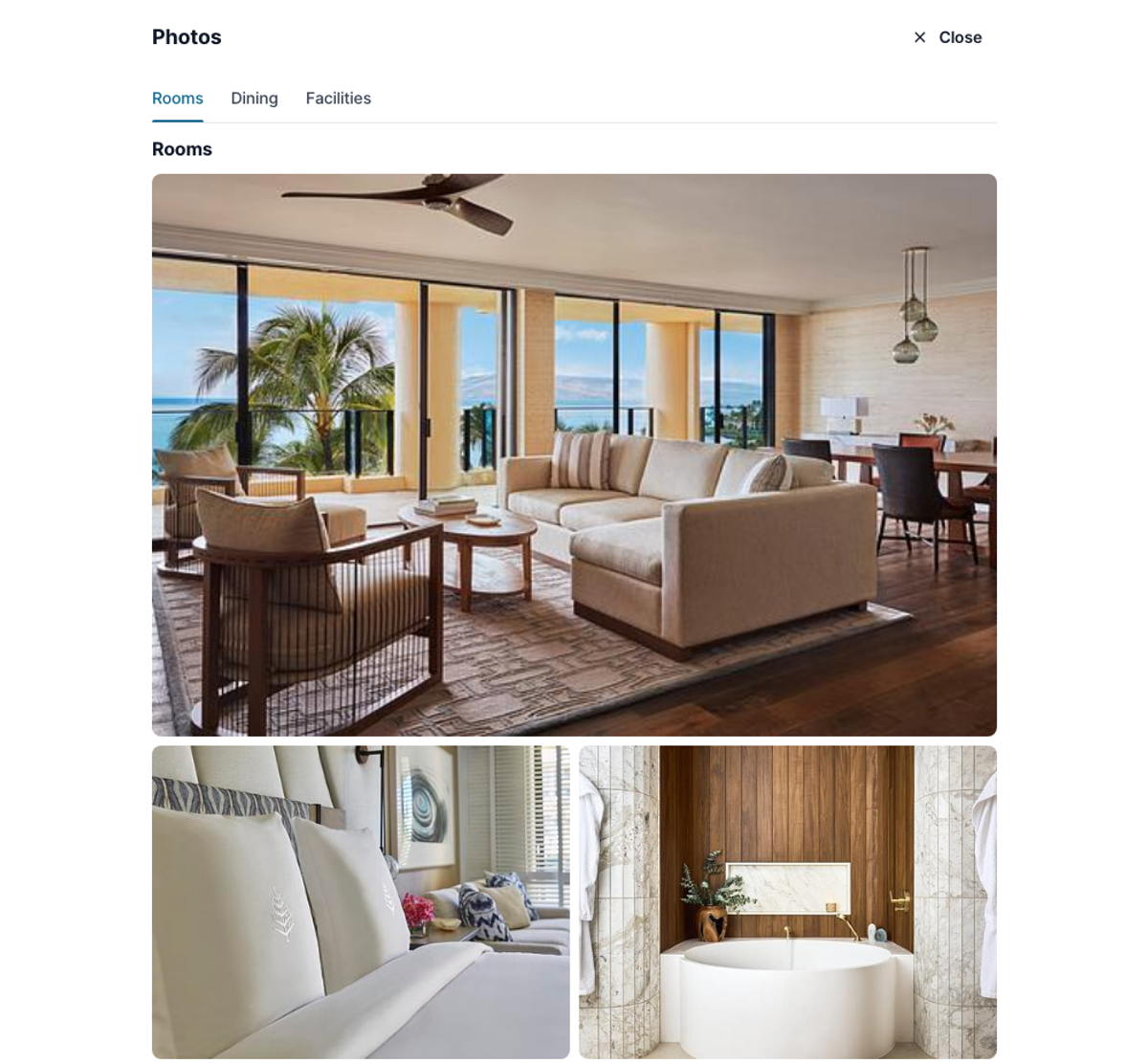
Child rates
Pricing a family trip shouldn't take a calculator. Add child rates to any room priced by occupancy, with minimum and maximum ages and as many age bands as the contract calls for. When you have travelers' dates of birth, like from your signup form, Tern works out each child's age at check-in and builds the right rates into the room price. Families, and group trips like weddings, see the right price as they choose rooms, and you never do the math by hand.
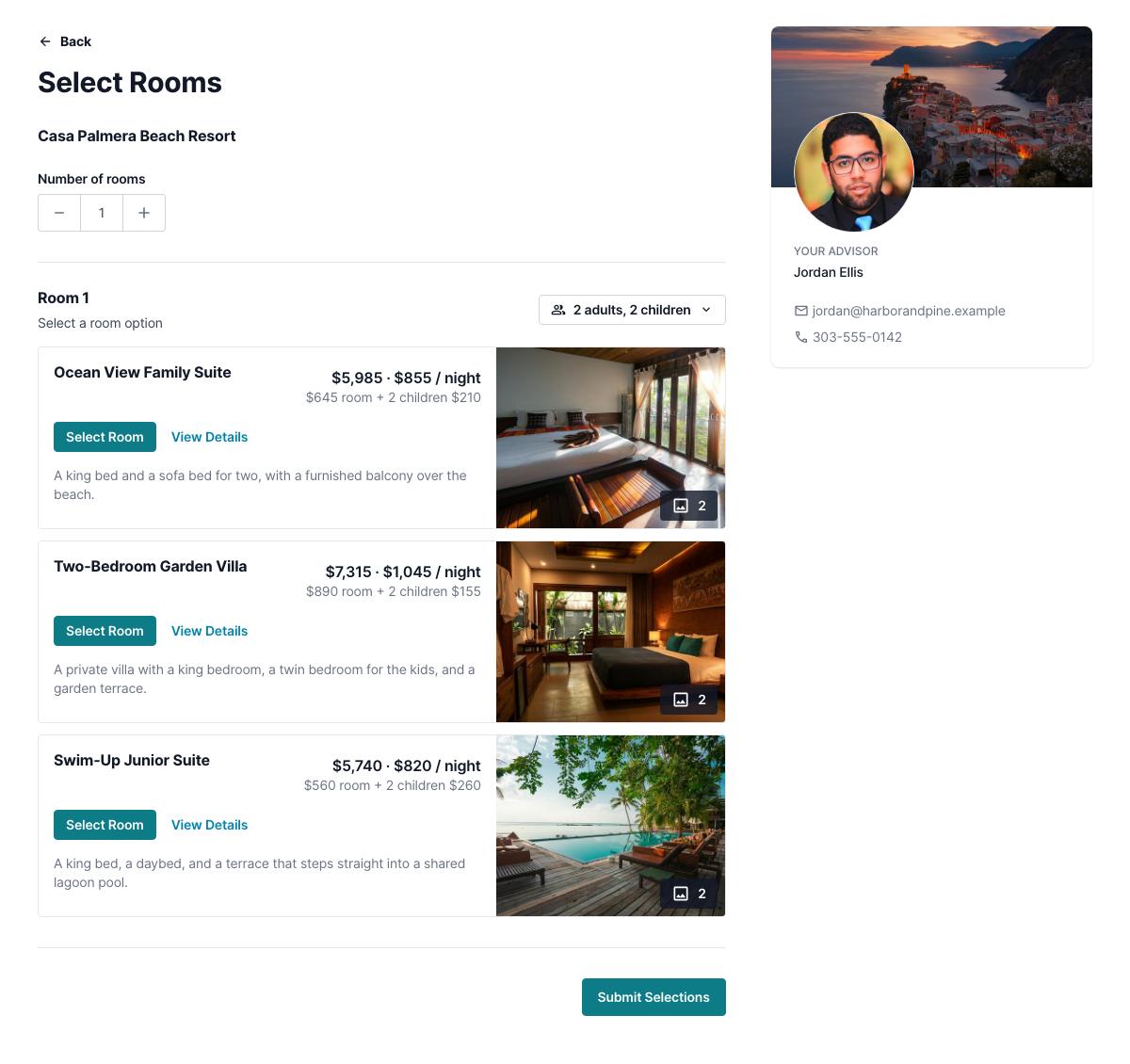
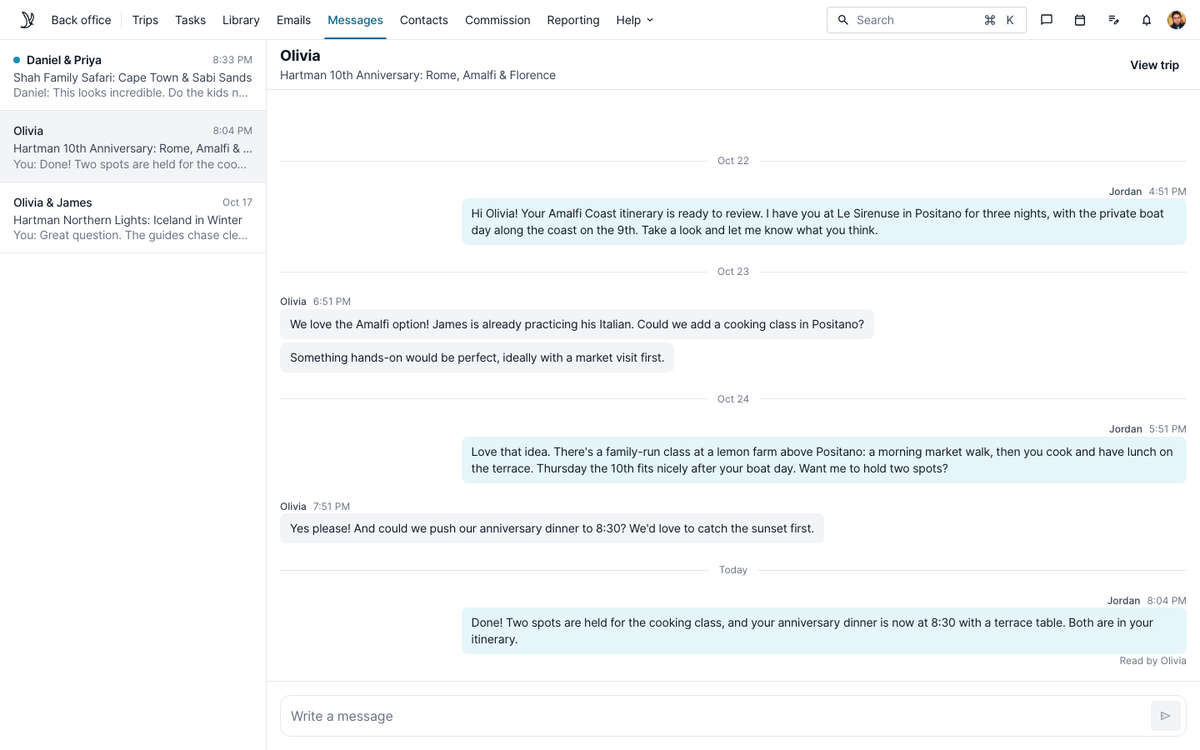
In-app messaging (rolling out week of Oct 20, 2026)
Keep every conversation about a trip with the trip. Your clients can message you from their itinerary or the Tern traveler app, and you reply from the web or the advisor app. Each trip has its own Messages tab, one inbox brings every conversation together, and push notifications (or an email, if they're not in the app) make sure nothing slips. No more digging through texts and email threads to find what a client asked.
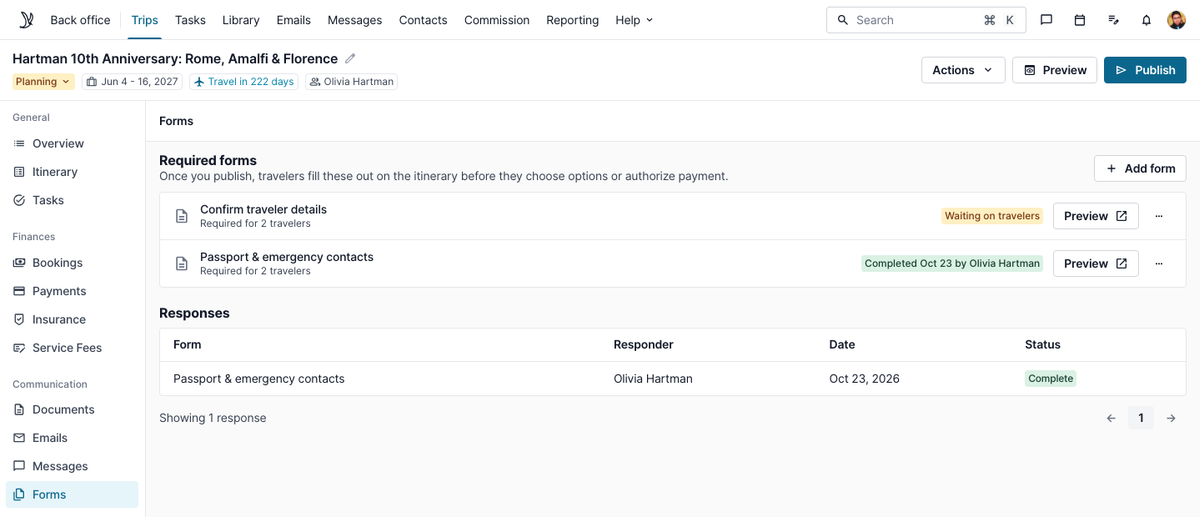
Required forms on trips (closed beta)
Never chase a missing passport number the week before departure again. Pick a contact information form from your library, like a traveler details form, and make it required on an individual trip. Travelers complete it before they make selections or authorize payment, so the details you need are in hand, and current, before any money moves.
Travelers see a Confirm details button on their itinerary. Their answers land on the trip and update the contacts in your CRM, just like any other form.
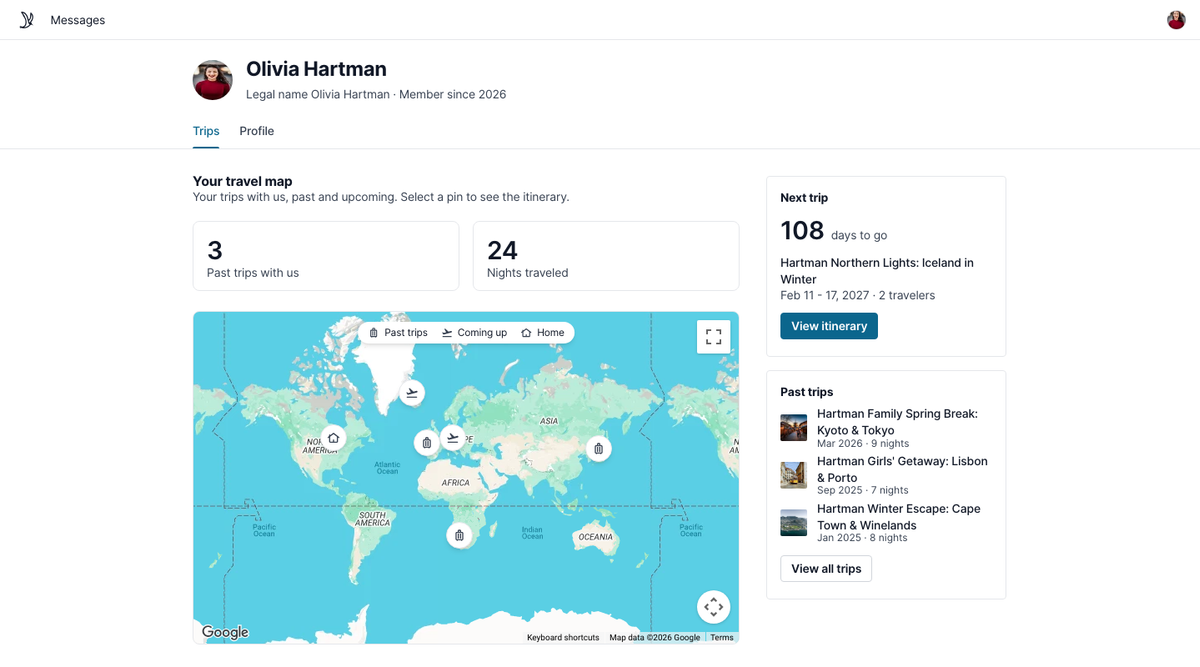
Traveler profiles (closed beta)
Your clients finally get a home in Tern. When they sign in, they see a trip hub with their past and upcoming trips plotted on a map, each one a click away from the itinerary you built.
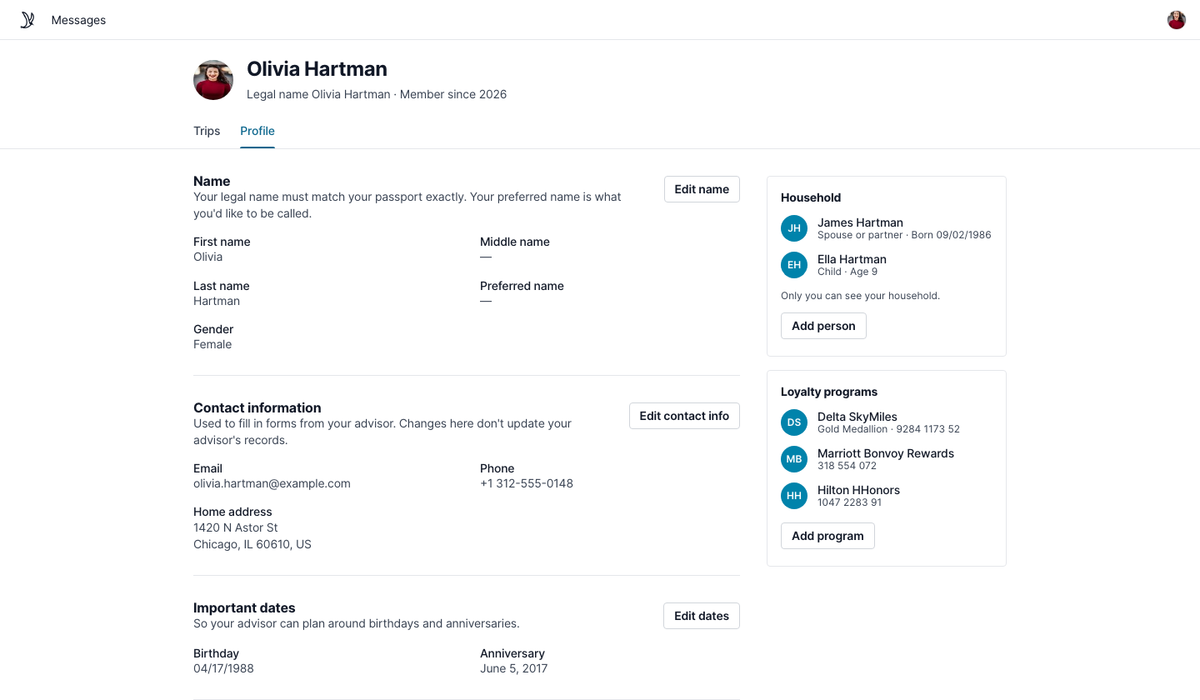
Their profile also does the typing for them. Every form they fill out while signed in keeps their profile up to date, so the next form arrives already filled in, from passport details to their SkyMiles number and TSA PreCheck, plus the people they travel with. Travelers review everything before they submit, and nothing updates your CRM until they submit. If a client works with several advisors at your agency, they fill it in once and every advisor benefits.
Required forms and traveler profiles are in closed beta. Want in? Email brad@tern.travel.
For your day-to-day
In-app notification center
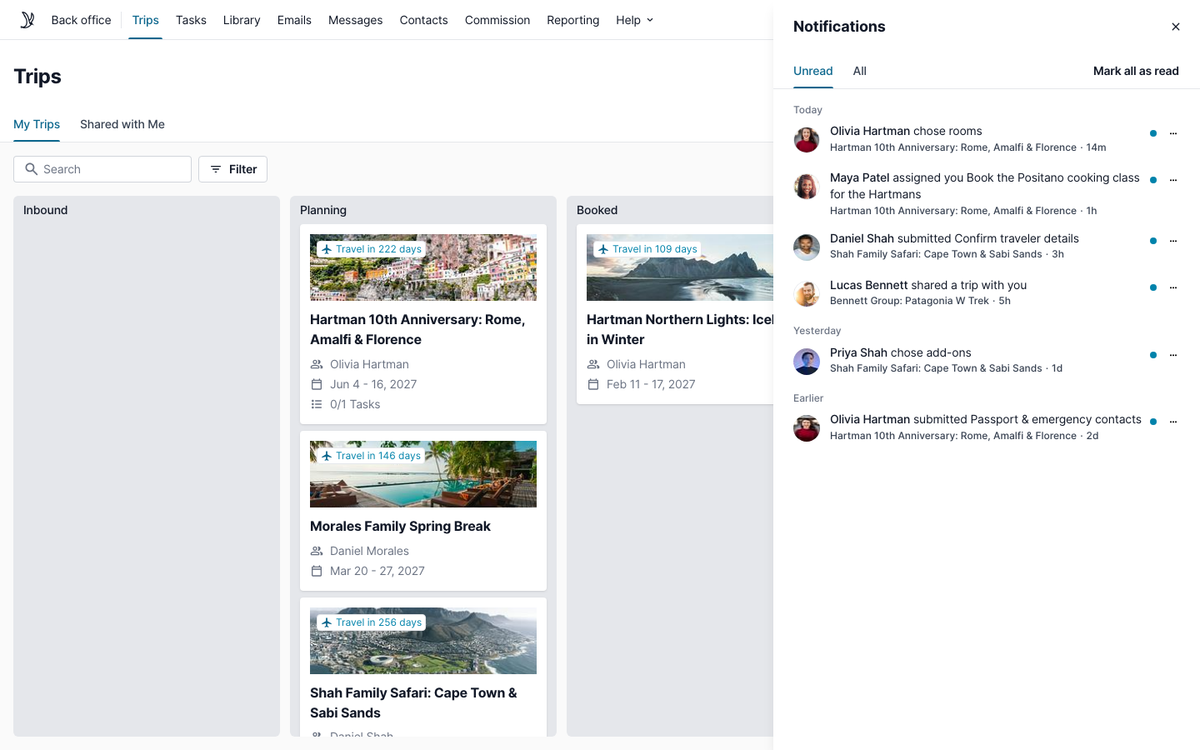
Know the moment your clients act. A new notification center in Tern's top navigation gathers what's happening across your trips: a traveler choosing a room, an option or an add-on, a client submitting a form, a task assigned to you. Updates that used to live only in your inbox are now one click from the trip, task or contact they're about. Push notifications in the advisor app are coming soon.
New automation triggers
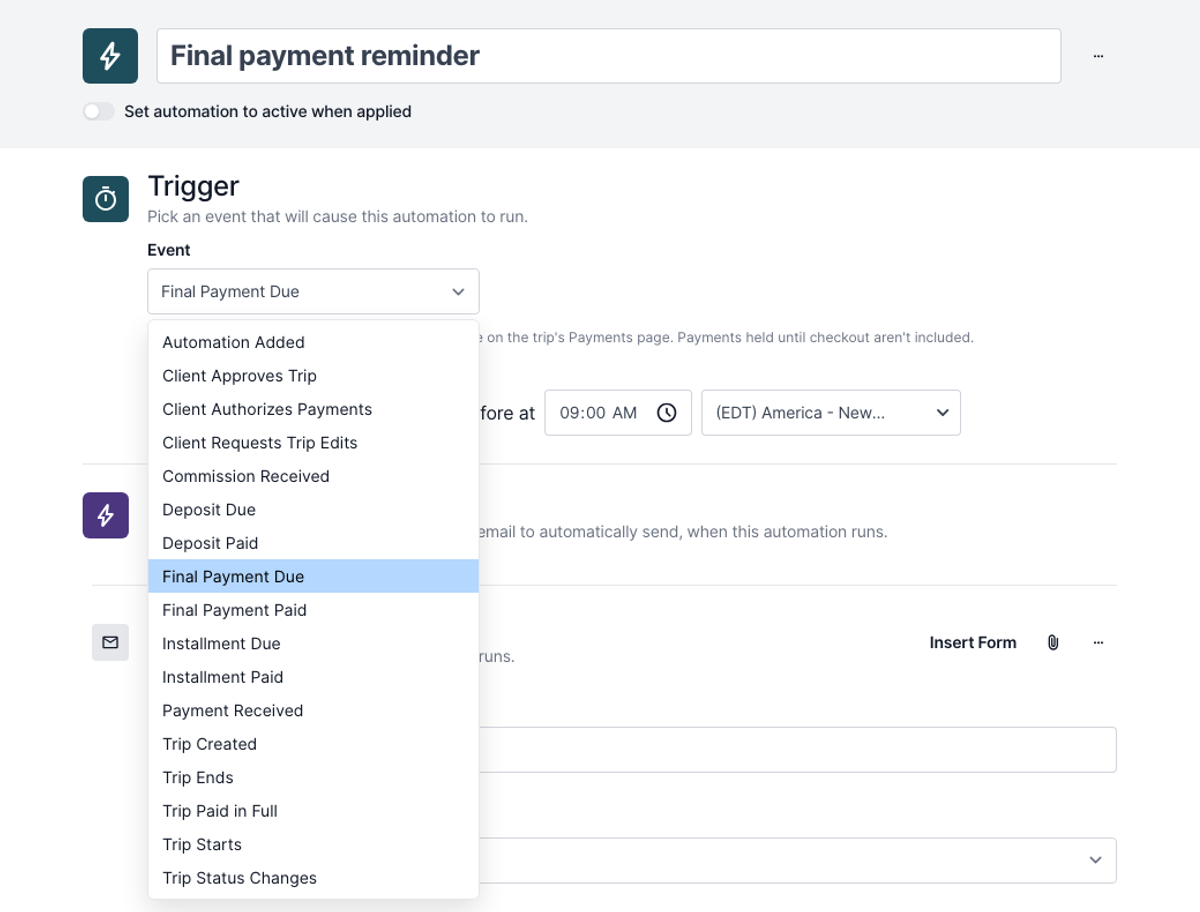
Let the money move your workflows. New automation triggers fire on deposits, installments and final payments, both when they're due and when they're paid, and when your commission arrives. Send a reminder three days before a deposit is due, move a trip to "Paid in Full" the moment the final payment clears, or archive it once you've been paid. The busywork you used to do by hand now runs on its own.
Forms that apply tags
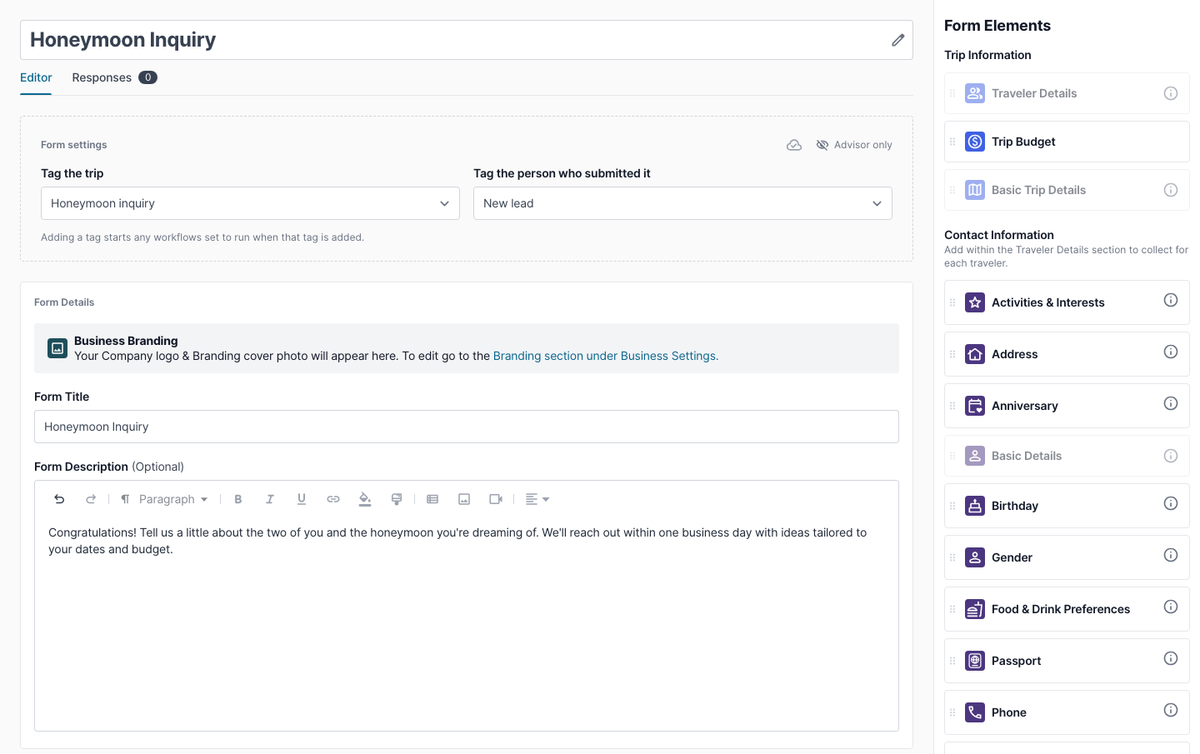
The form a client fills out says a lot about them, and now it can start the right workflow too. Choose a tag for the person who submits a form, and one for the trip it creates or belongs to. When a response comes in, the tags are applied and any workflows tied to them kick off. Send honeymoon inquiries down one path and group sign-ups down another, without lifting a finger. Workflow fans, this one's for you.
Also new
- Copy shared folders in one step, with everything inside them. No more copying templates one by one.
- Add several library activities to a trip at once. Select what you need and add it together.
- No more "Stay at" in front of every hotel you add to a trip. An advisor pointed this one out, and you'll never delete it by hand again.
- Client email on payment authorizations, right alongside their card and billing details.
- Archive contacts in bulk for a faster cleanup.
For agency owners
Sales goals
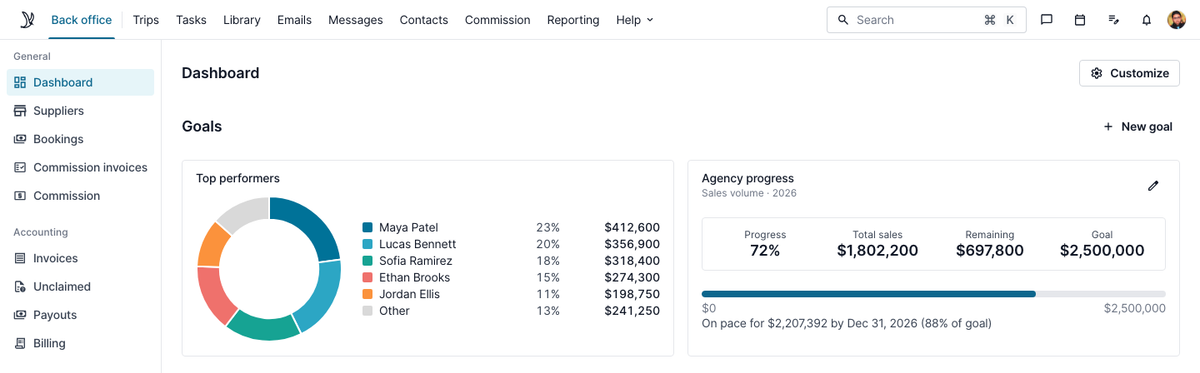
Give your team something to chase. Set as many goals as you like, each with a time frame, a target, and a metric: sales or commission received. Set a target for the agency or for each advisor and Tern fills in the other, with last year's numbers alongside so you can aim for real growth. The Back Office does the math for you: progress, what's left, where you'll land at your current pace (for larger agencies), and your top five advisors.
Every team is different, so you decide what advisors see: nothing at all, just their own progress, how they stack up against the agency, or everyone's totals. Pick what motivates your people.
Supplier profiles and expected commission
Everything your agency knows about a supplier, finally in one place. Supplier profiles now work like a supplier CRM: helpful links, resources you can pin or set to hide after a date, supplier contacts and their roles, and admin-only comments your advisors never see. Preview any profile as an advisor to see exactly what they'll get.
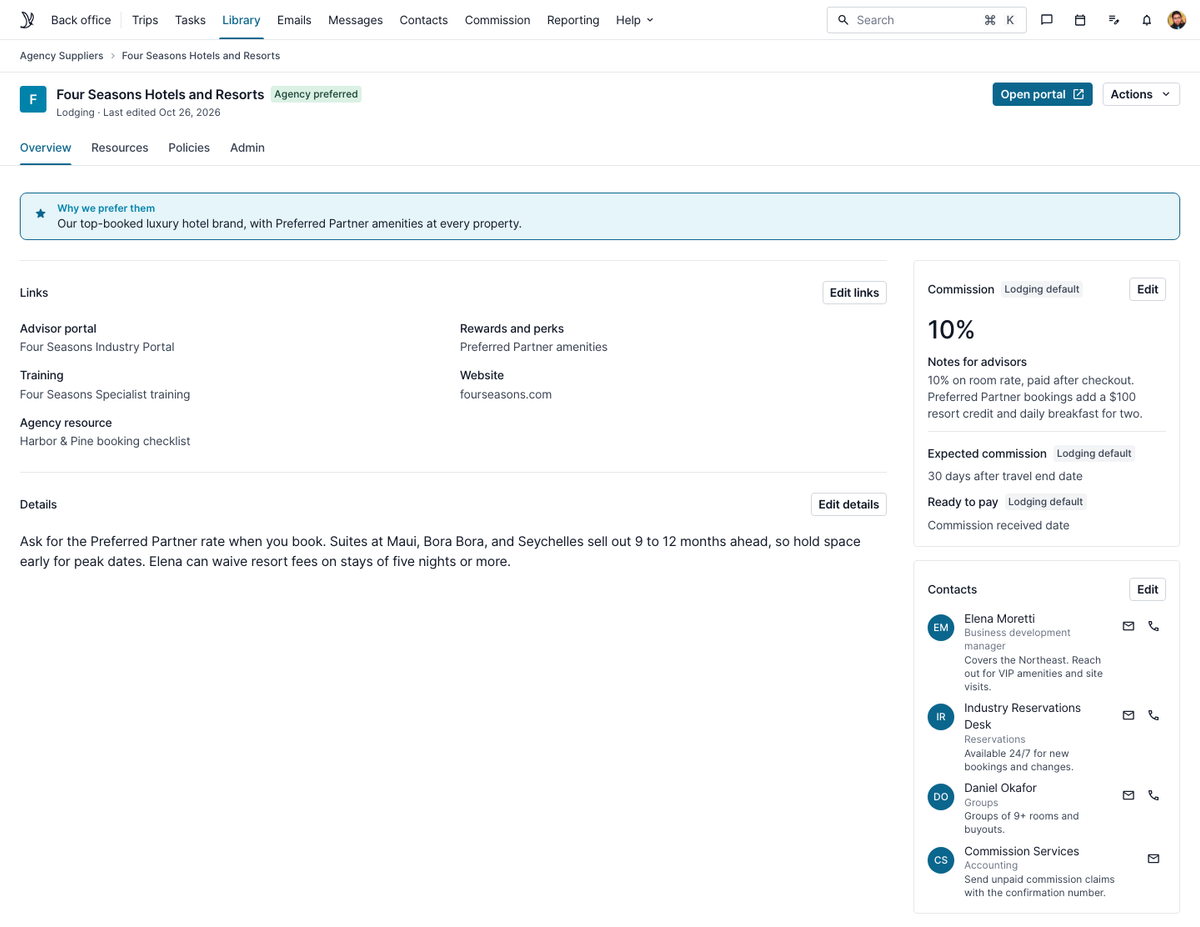
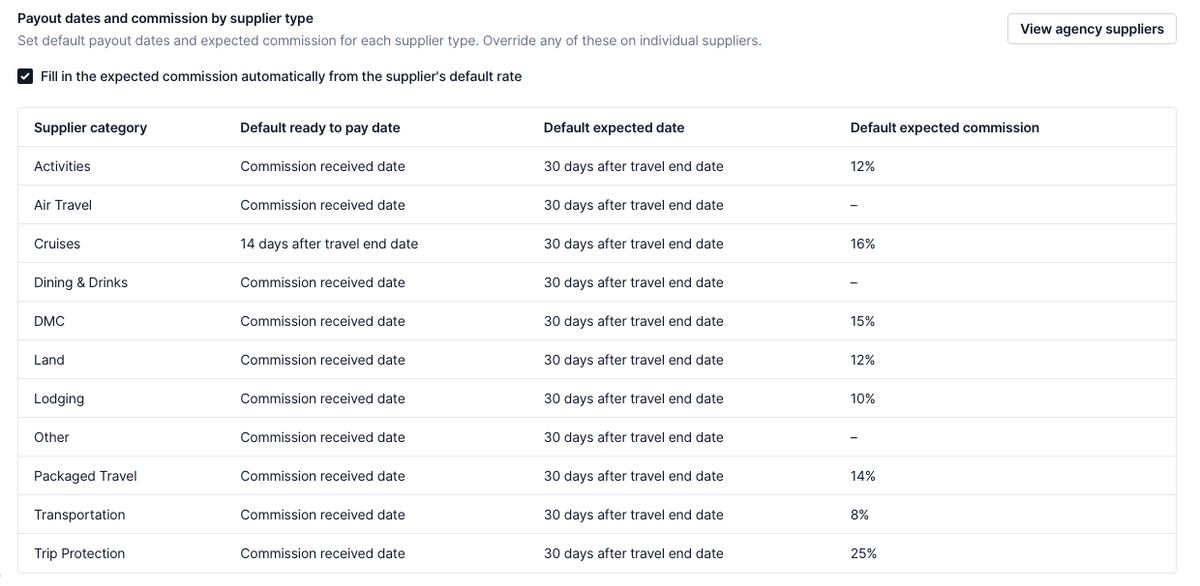
Expected commission stops being guesswork, too. Under Payout rules, set a default rate per category, like 10% of total cost before taxes and fees for hotels, then fine-tune it per supplier. Turn on one checkbox and Tern fills in the expected commission on your advisors' bookings, without overwriting amounts they've entered. Set it once, and every booking starts with the right number.
Also new
- Copy the Net amount on Ready to pay, straight into your payroll software.
- Mentee names on mentor split lines, so mentors know whose booking each payout came from.
Thank you
To the advisors who joined us in New Orleans and stopped us in a hallway, filled out a sticky note, or raised a hand in a feedback forum: thank you. These features came from you, and now every advisor and agency owner on Tern gets to benefit.
To our product, design and engineering team: thank you for sharing your craft and expertise with our community. I'm so proud to work alongside you, and I can't wait to see what we build next.
You don't need a conference badge to shape what we build. If you have an idea for what we should build next, let us know in our feedback platform. I read every request.
See you next year. Bring your ideas.